Using Messenger Filters
One powerful way to make sales using ChatBlaze is by using the lead "filters" that are built into your ChatBlaze Messenger window. Here's how they work:
Using Messenger Filters:
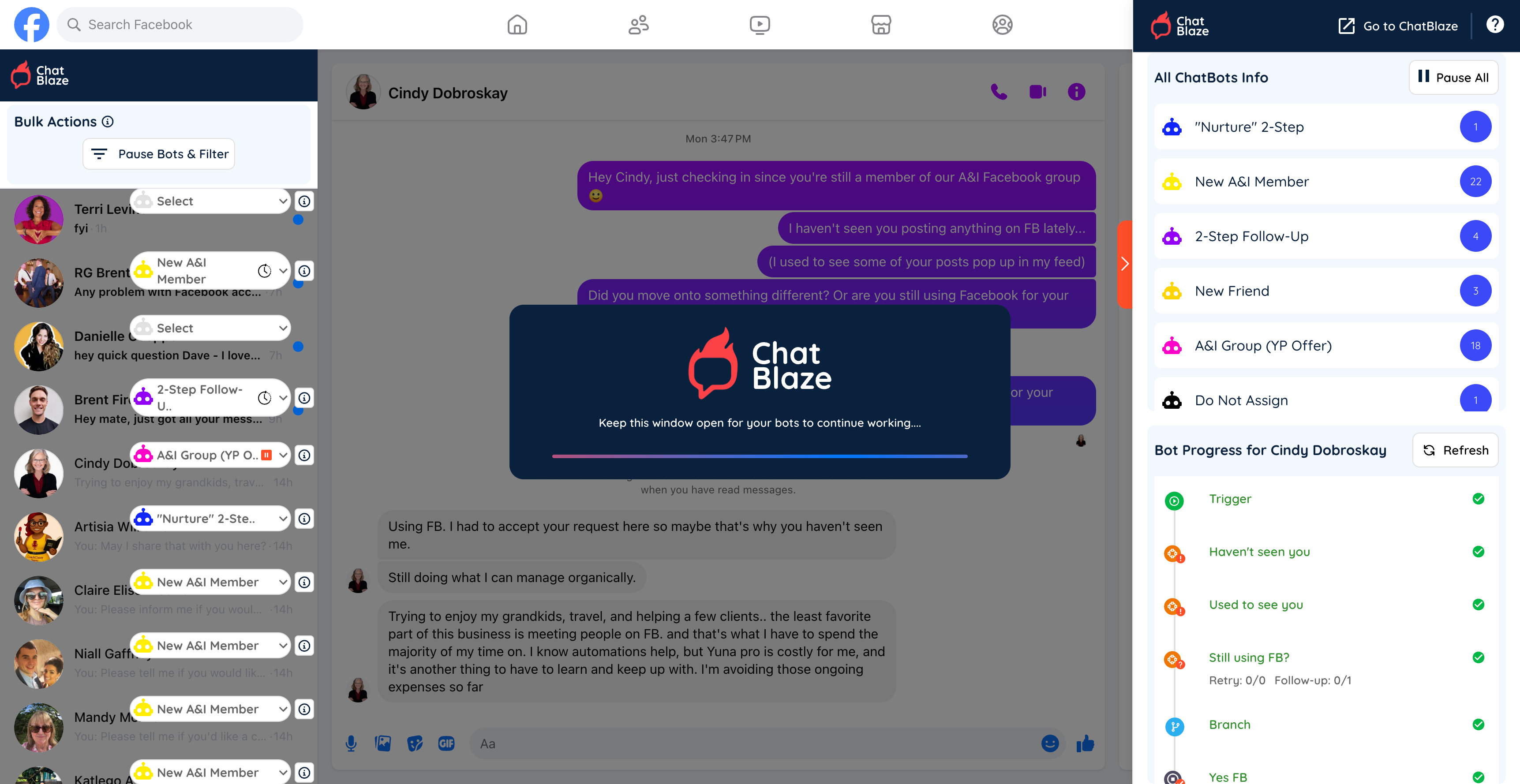
1) Open your ChatBlaze Messenger window.
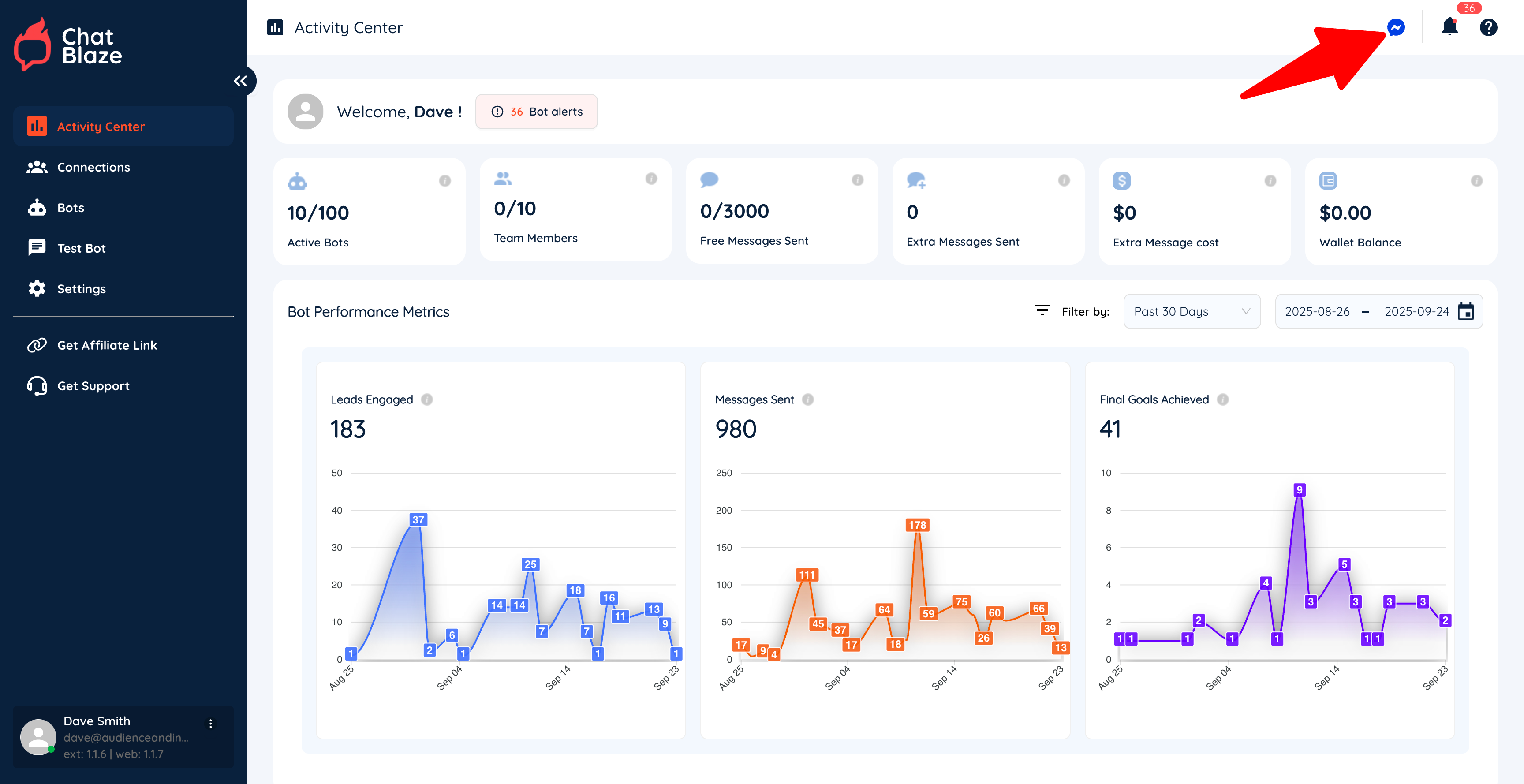
2) Click the "Pause Bots & Filter" button.
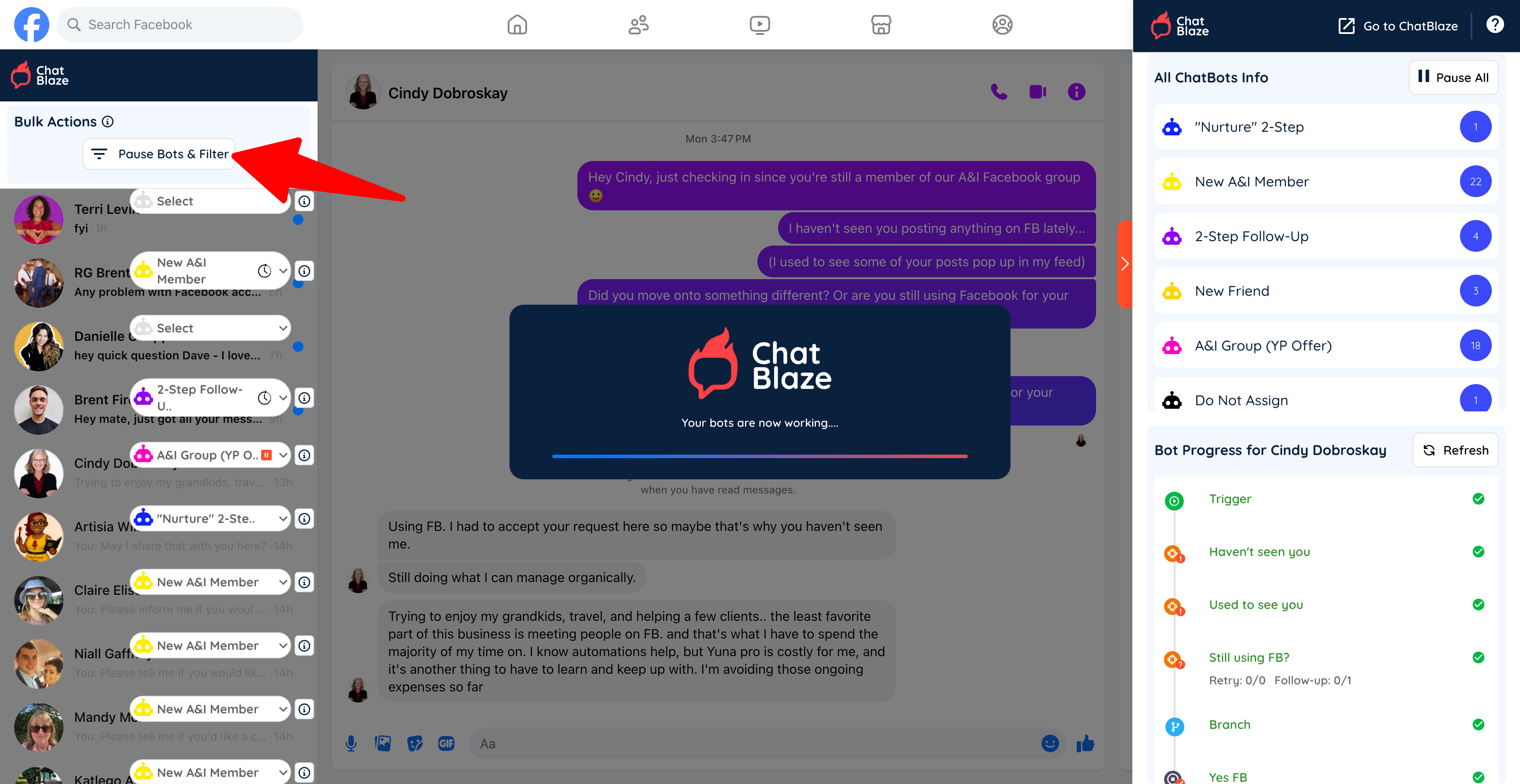
3) Click the Filter icon and then choose up to 3 filters to apply to your leads.
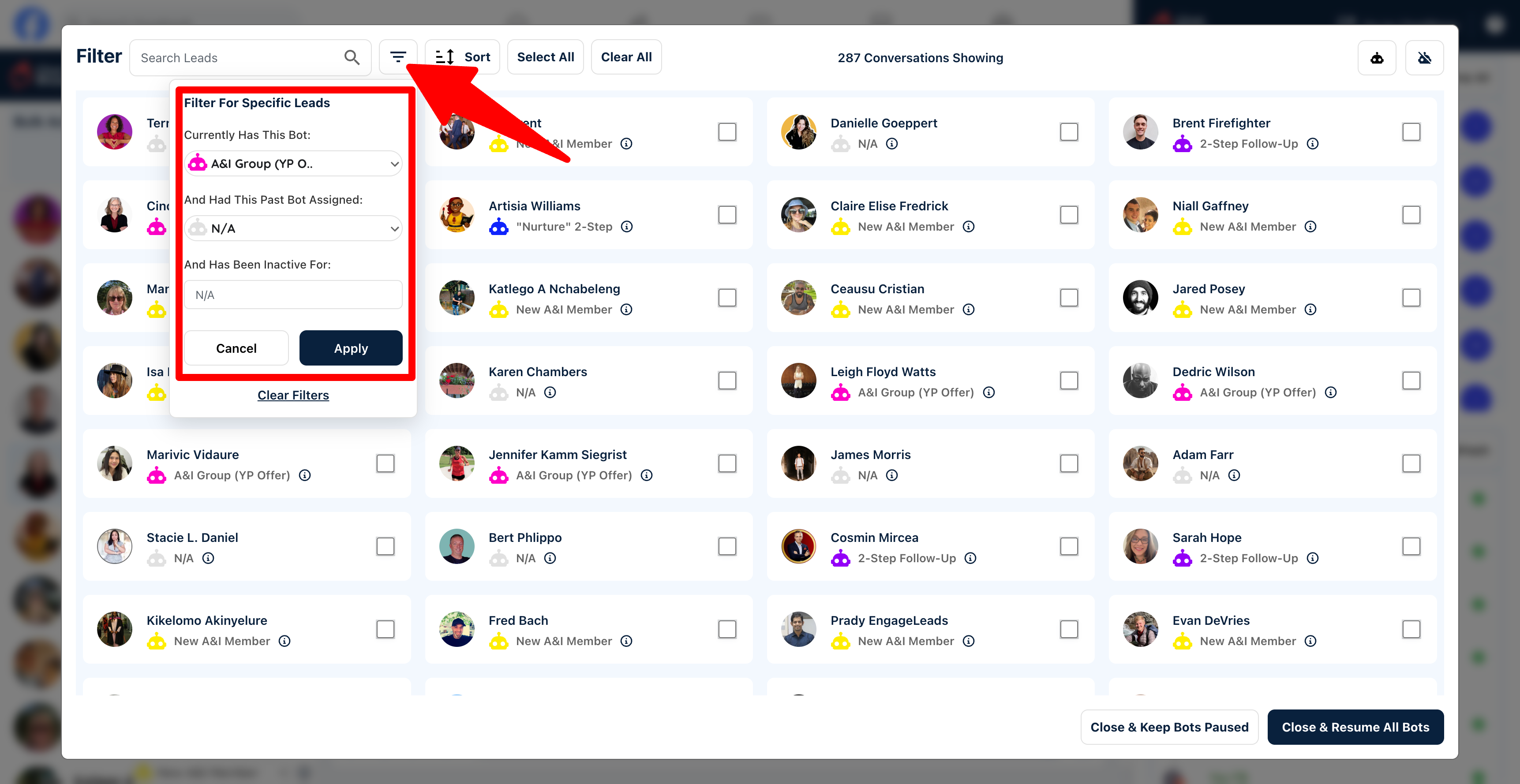
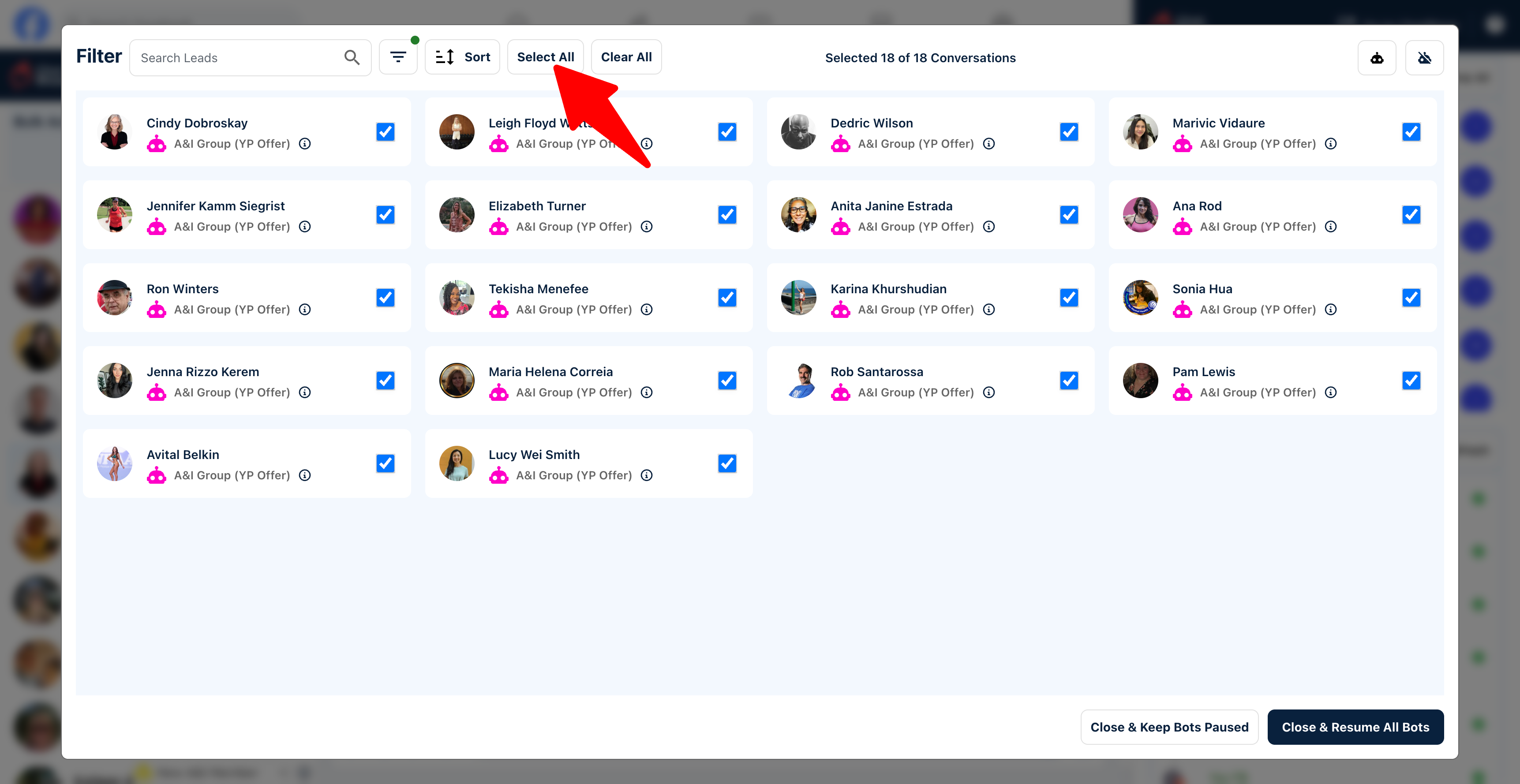
4) Select your leads manually by clicking the box next to their photo or use "Select All" to select every lead.
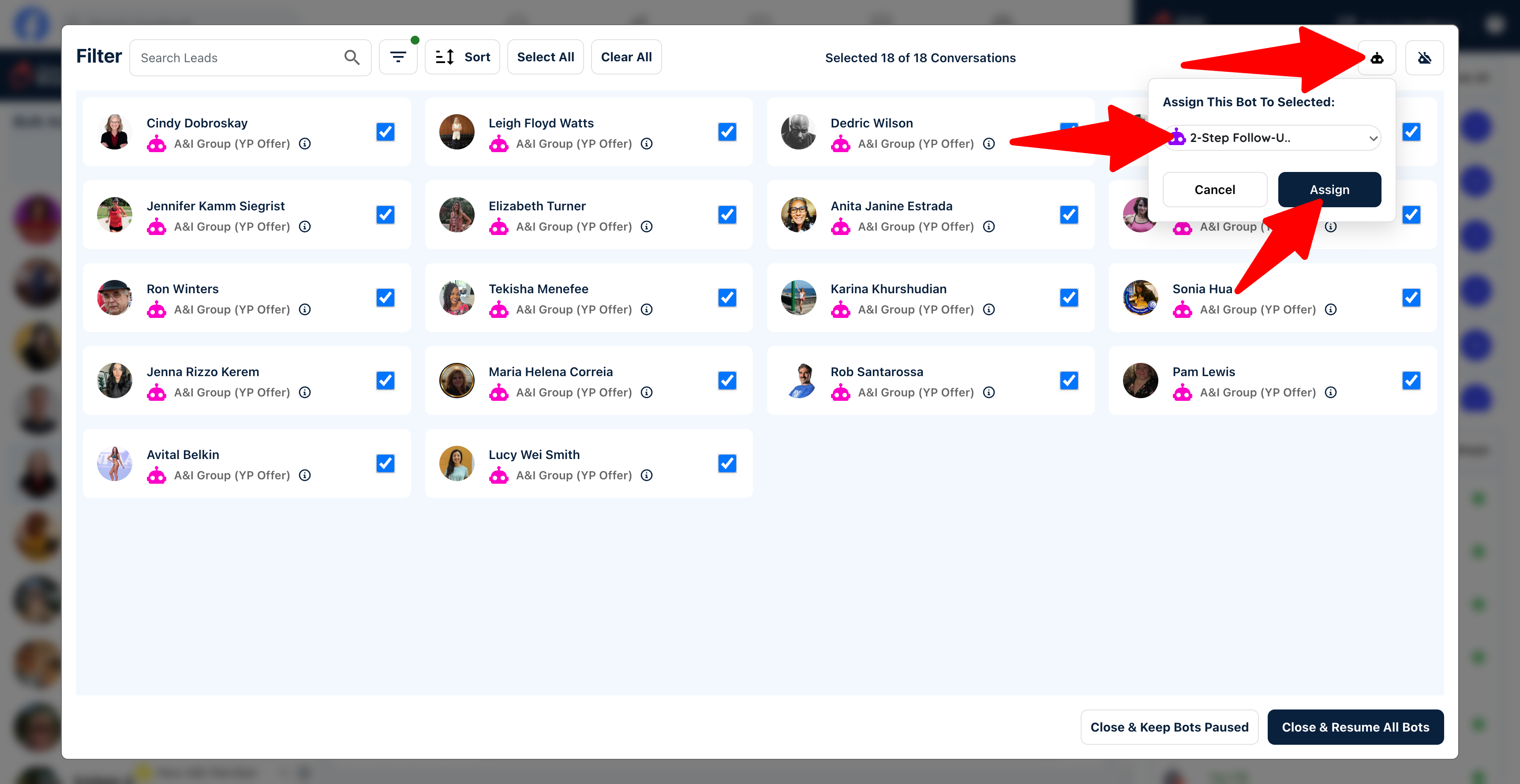
5) Click the icon to assign a bot to these leads, then choose the bot you want to assign from the drop-down menu. Note: As soon as you click "Assign" the bots will be assigned, so make sure you've chosen the correct bot.
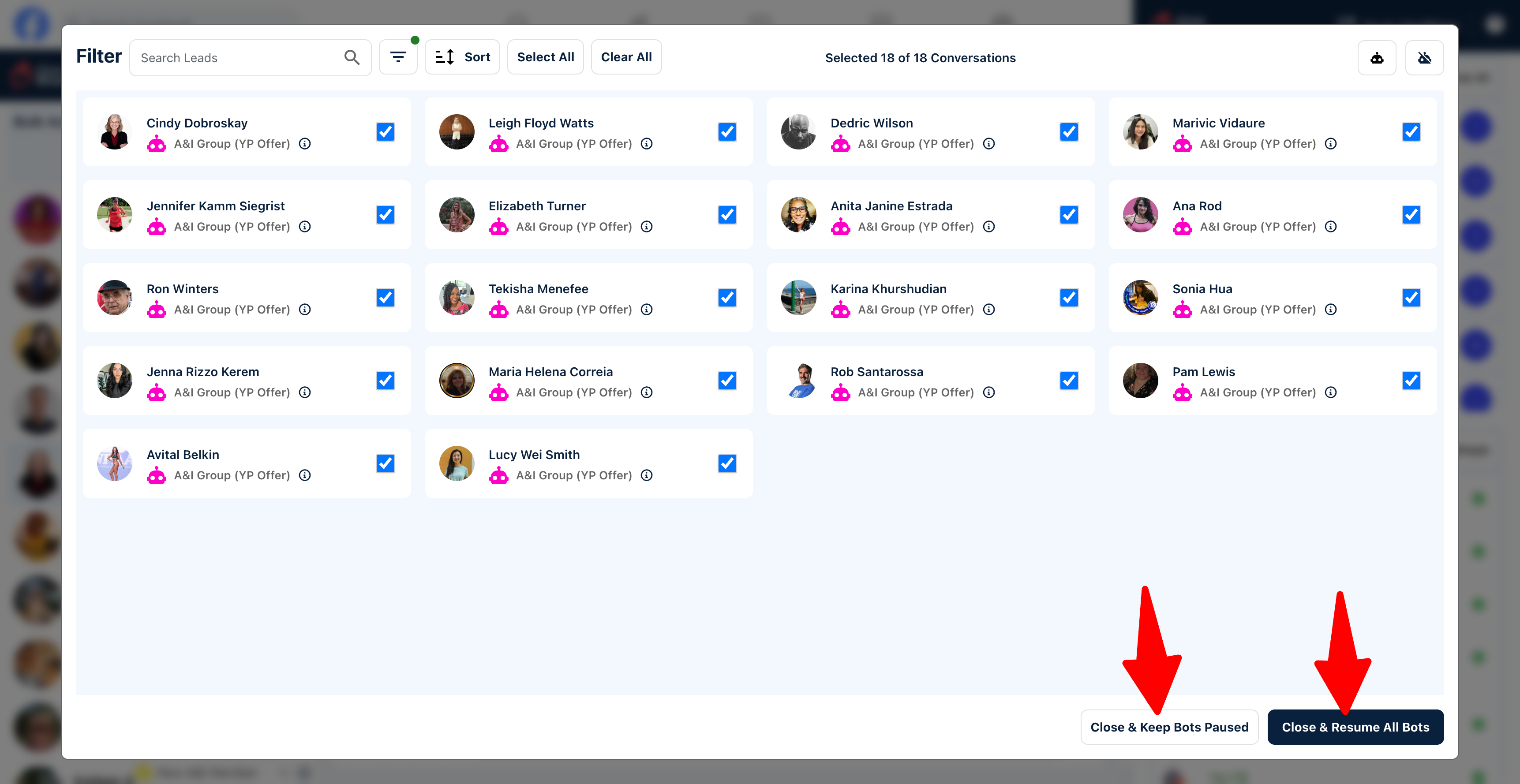
6) After assigning your bots, either close the pop-up window and keep your bots paused, or close and resume all bots.
7) If you chose to keep your bots paused, you can resume them at any time by clicking the "Resume All" button inside Messenger.
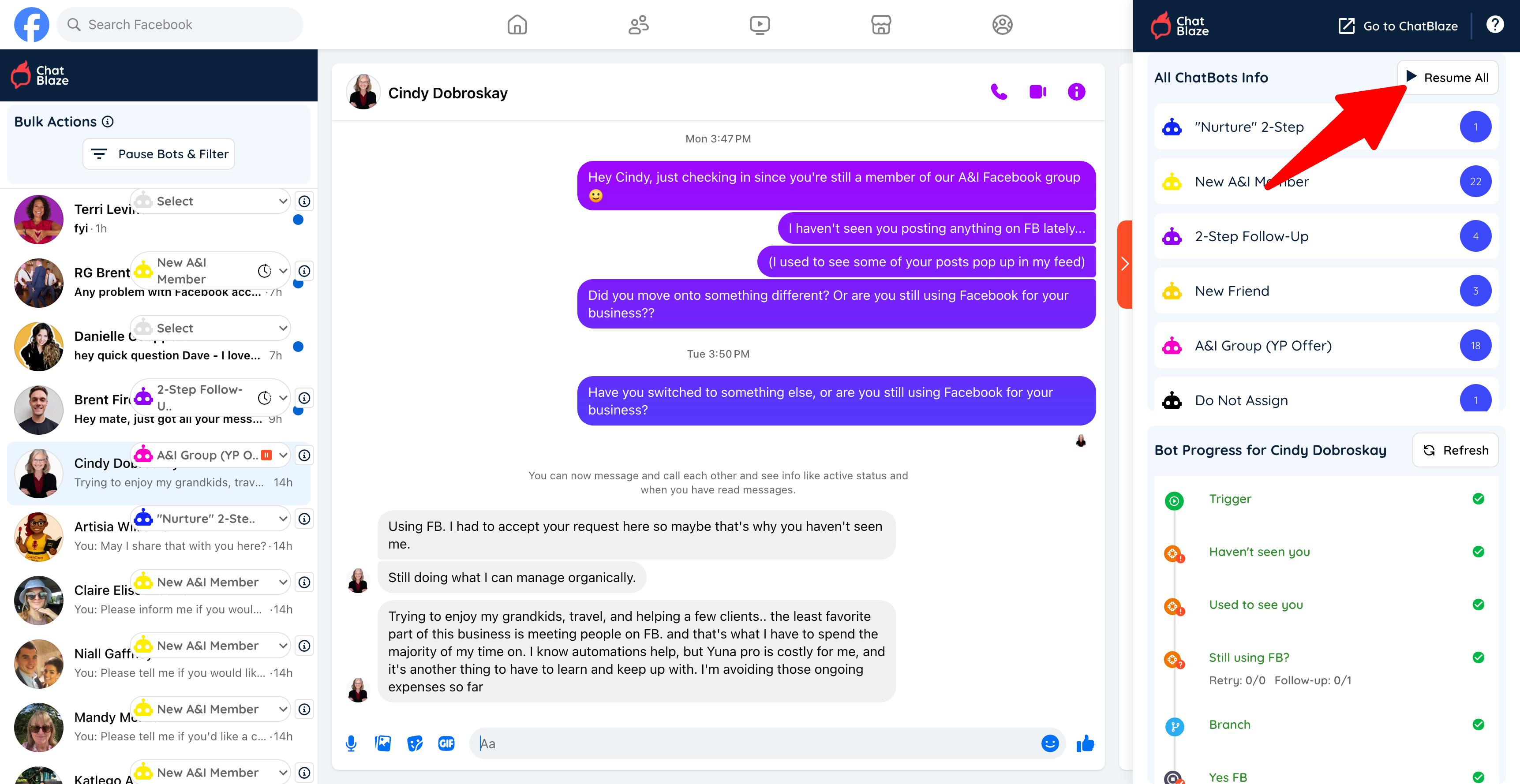
8) Once resumed, your bots will begin chatting with the leads they are assigned to.