Trigger Bots For New Group Members
EveryoneIf whoyou engagesrun ona anyFacebook ofgroup, yourevery postsnew member should receive a manualDM DMto "trigger" a bot that "triggers" your bots towill begin nurturingmoving andthat sellingnew tomember thosetowards leads.buying from you.
Bot Setup Steps:
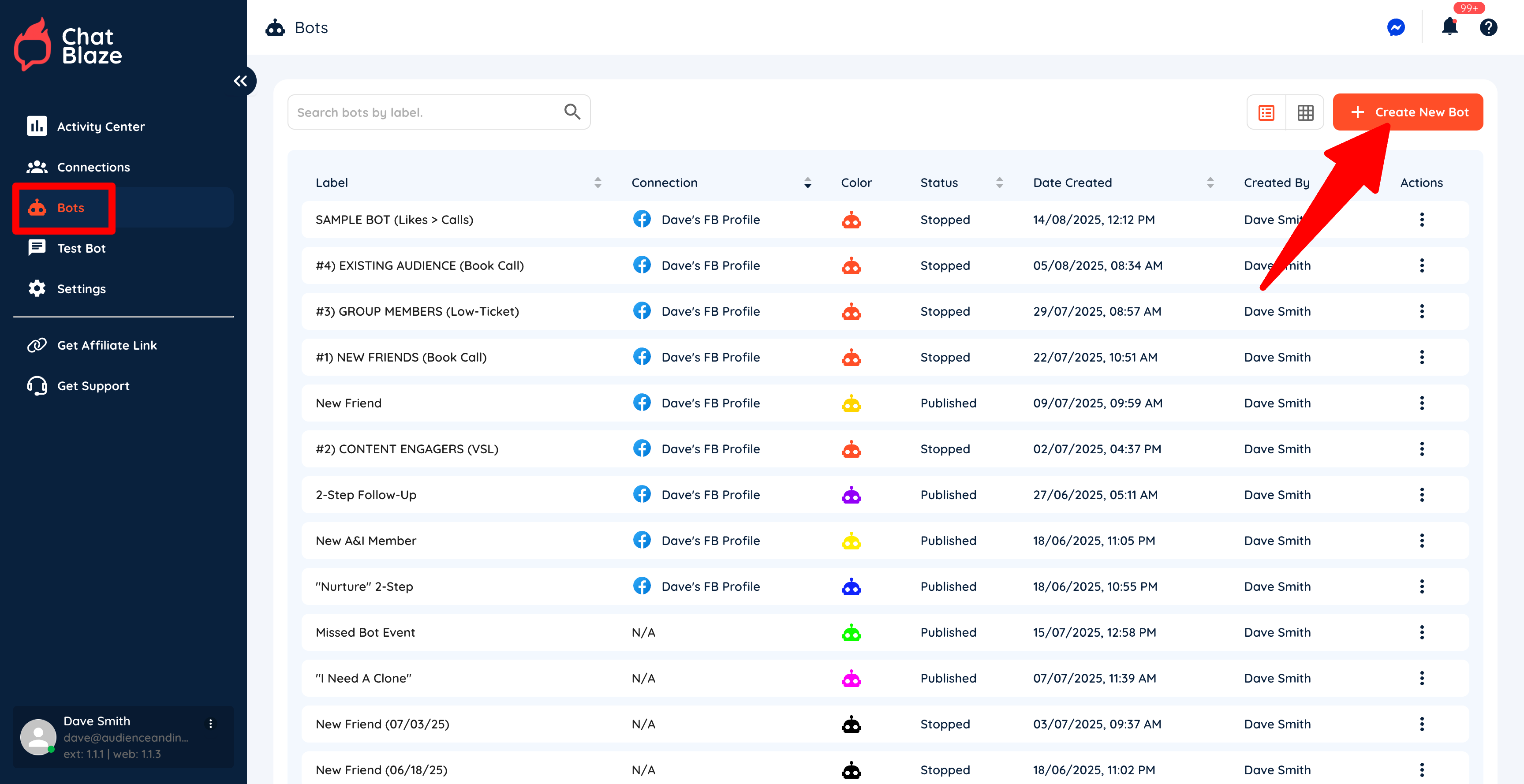
1) Create a new bot by going to "Bots" and then clicking "Create New Bot".
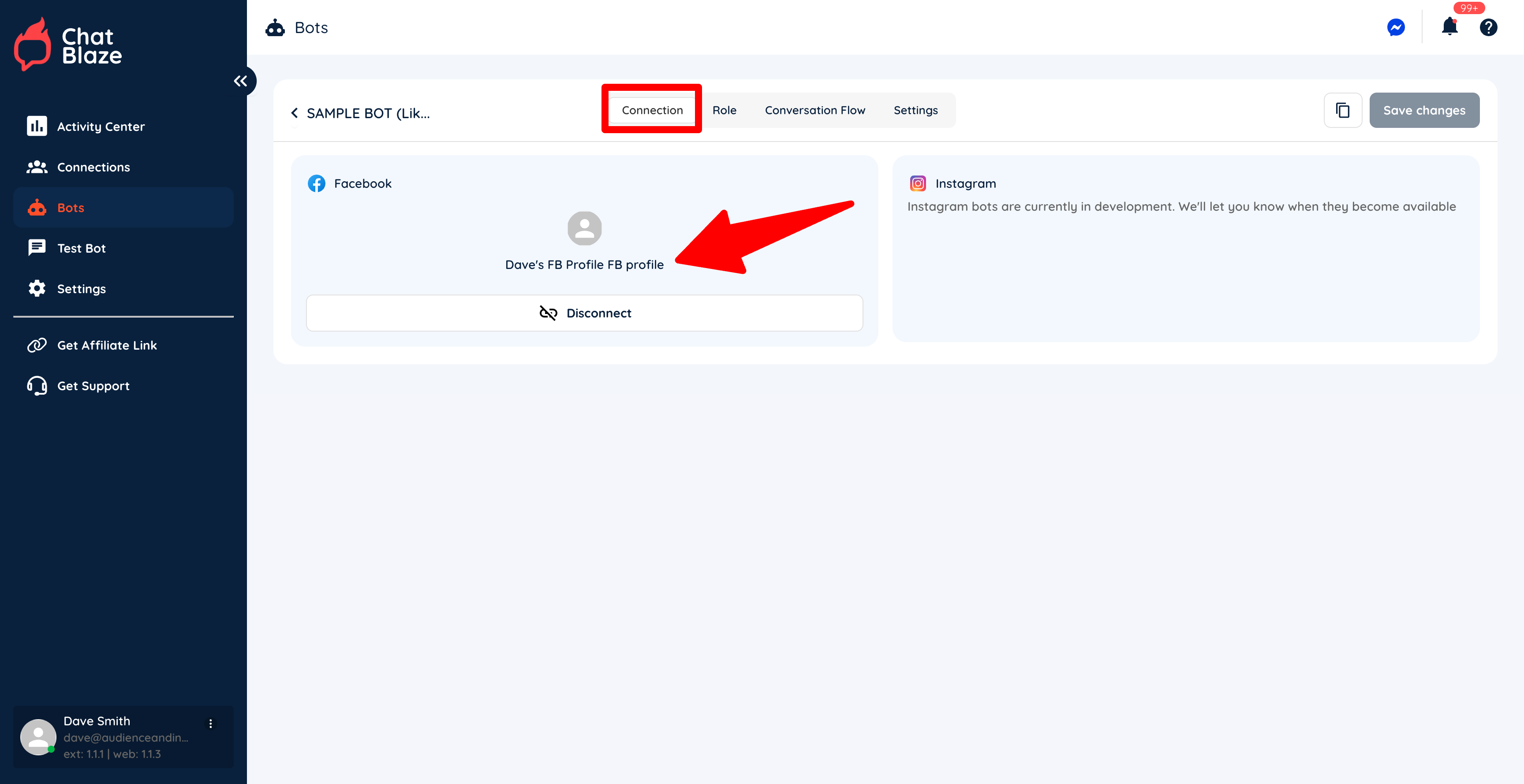
2) Connect your new bot to your social profile.
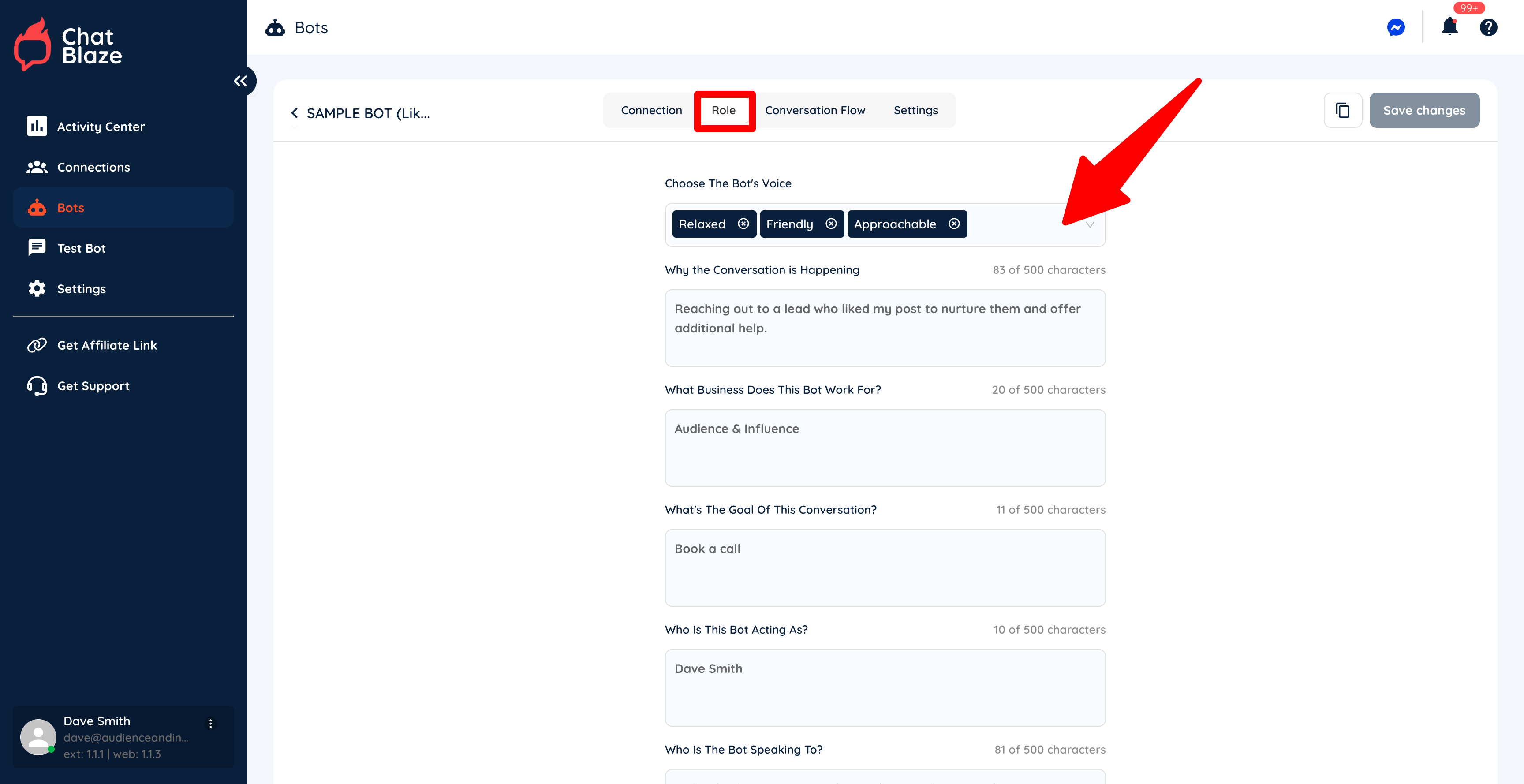
3) Fill in each section on the "Role" tab.
4) Click on the "Trigger" node inside your bot's "Conversation Flow".
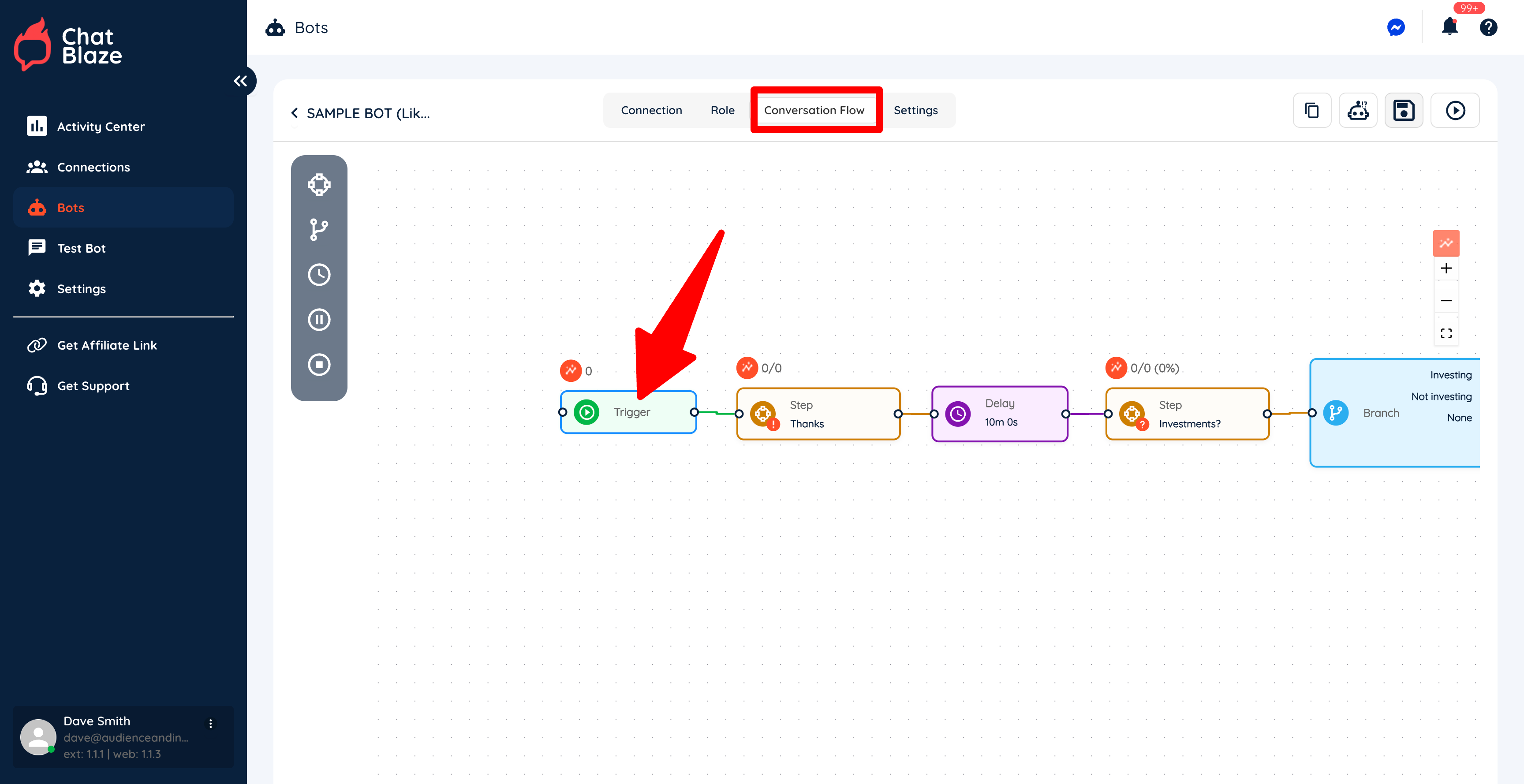
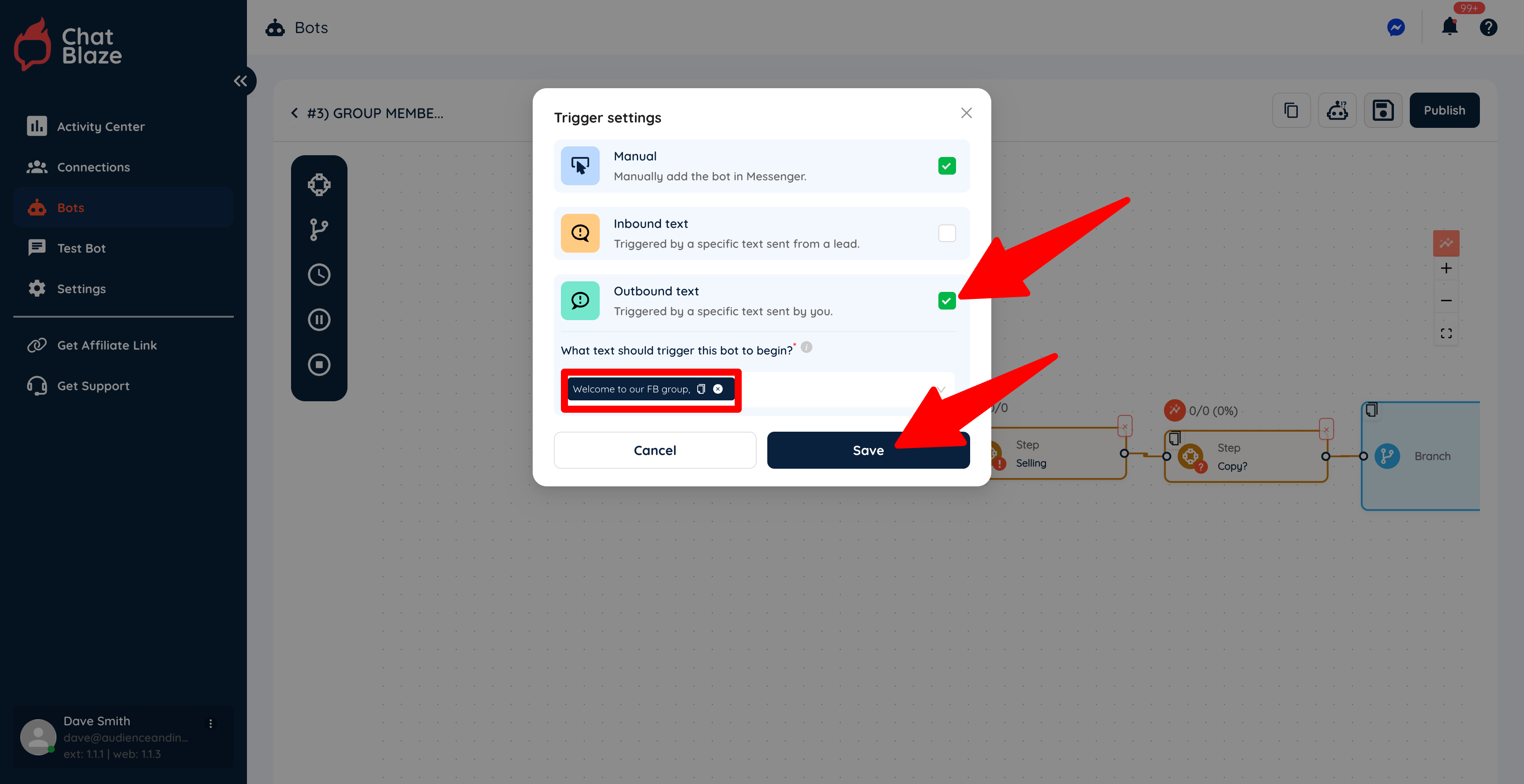
5) Select "Outbound text" and then enter the text that you want to use to trigger your bot. Save this setting.
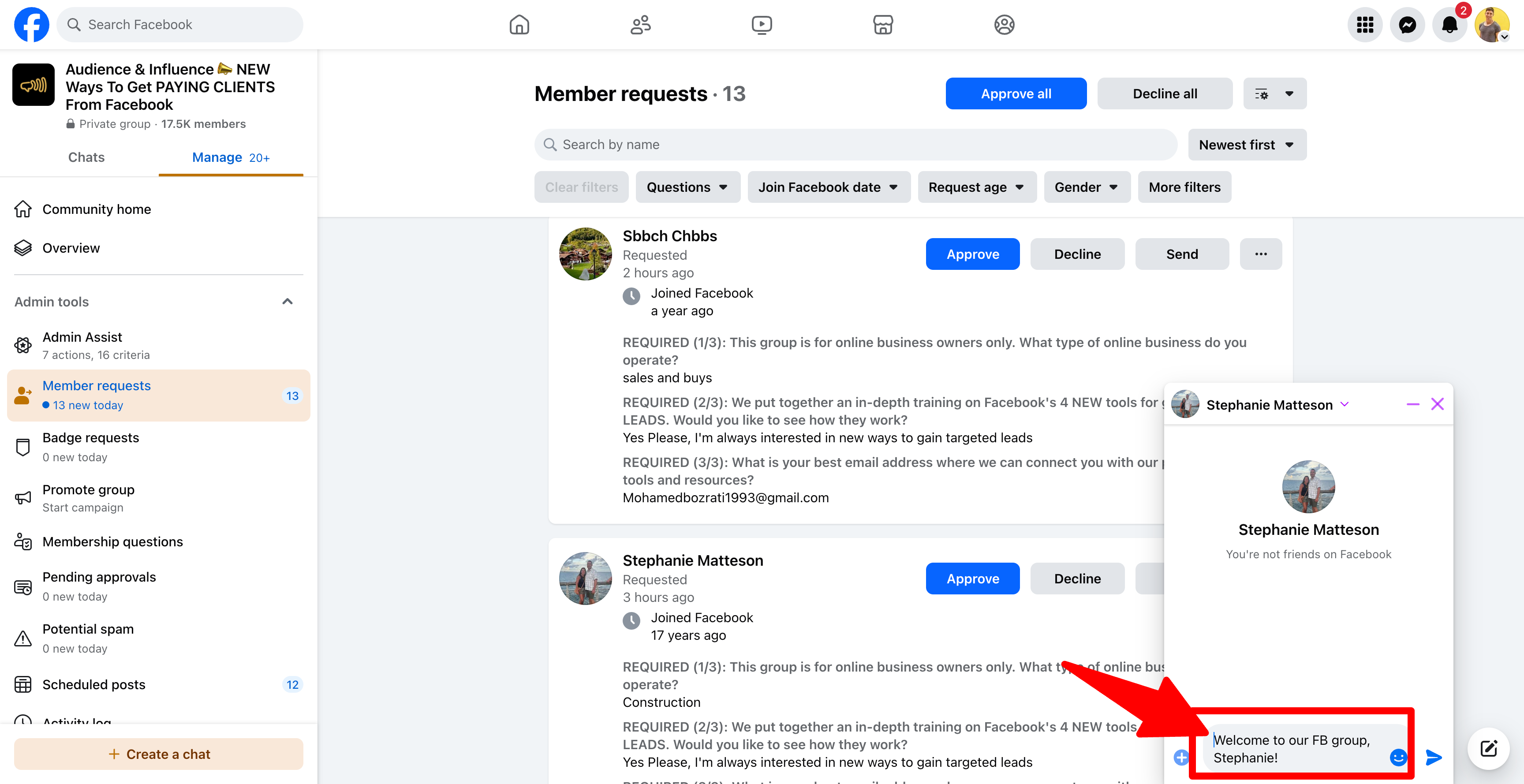
In this example, every time I manually send a DM that includes the text, "commentWelcome aboutto wantingour nurturedFB leads"group,", this bot will be assigned to that lead who received my manual DM.
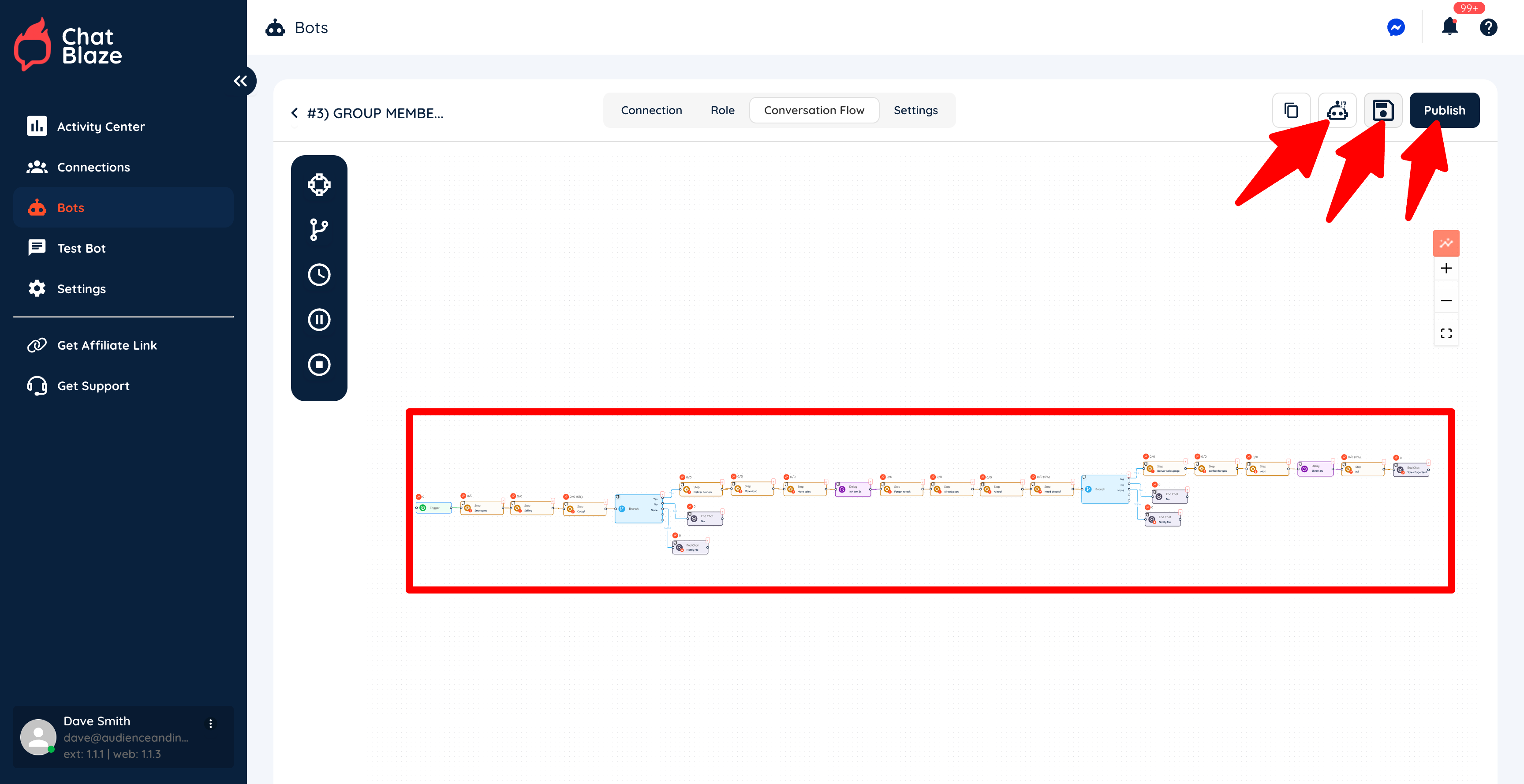
6) Build the rest of your bot as needed. Save your bot, test it, then publish it when it's working exactly as you'd like.
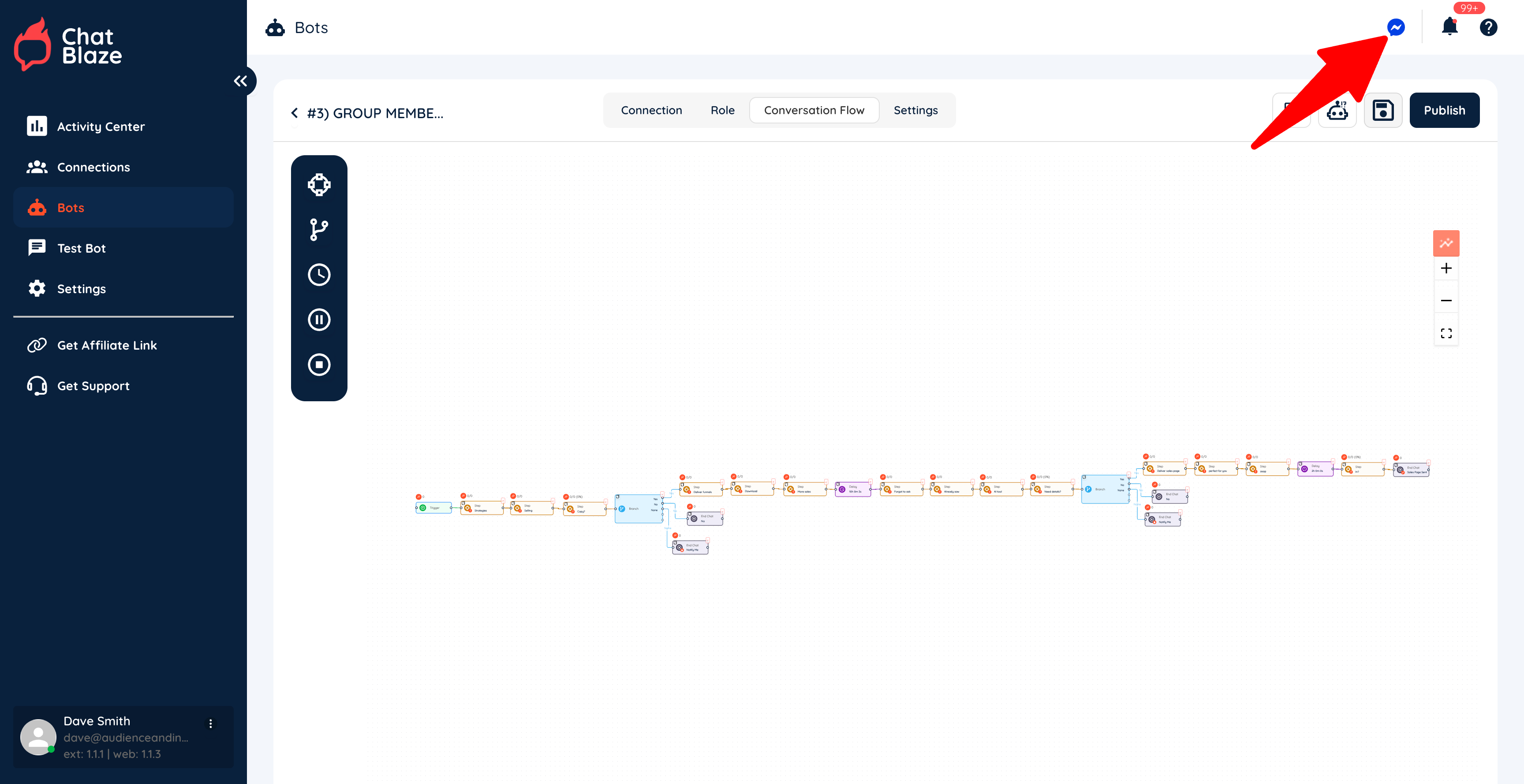
7) Click the "Messenger" icon to launch ChatBlaze in Messenger so that your bots can go to work for you.
Trigger Your Bot For Commenters:New Group Members:
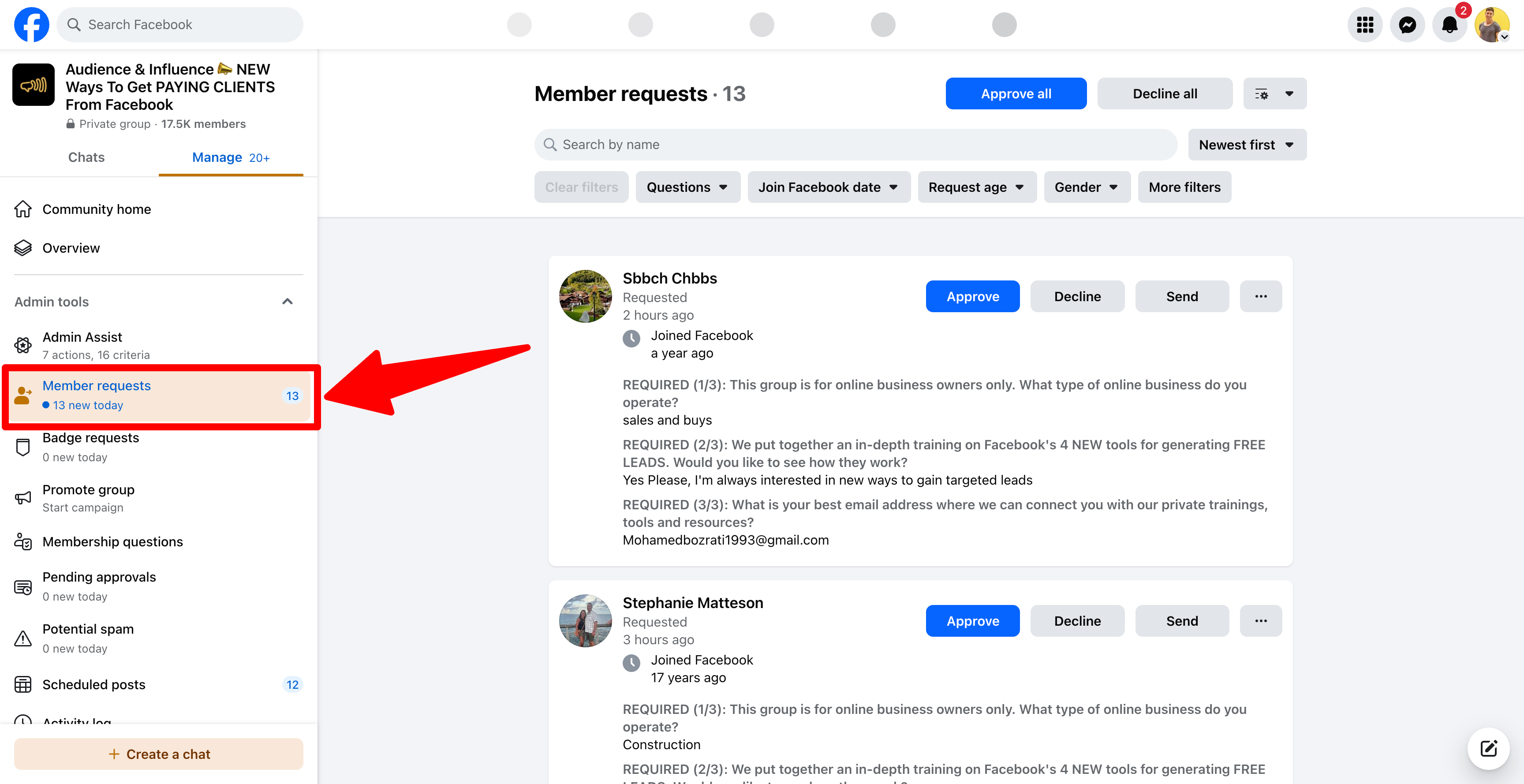
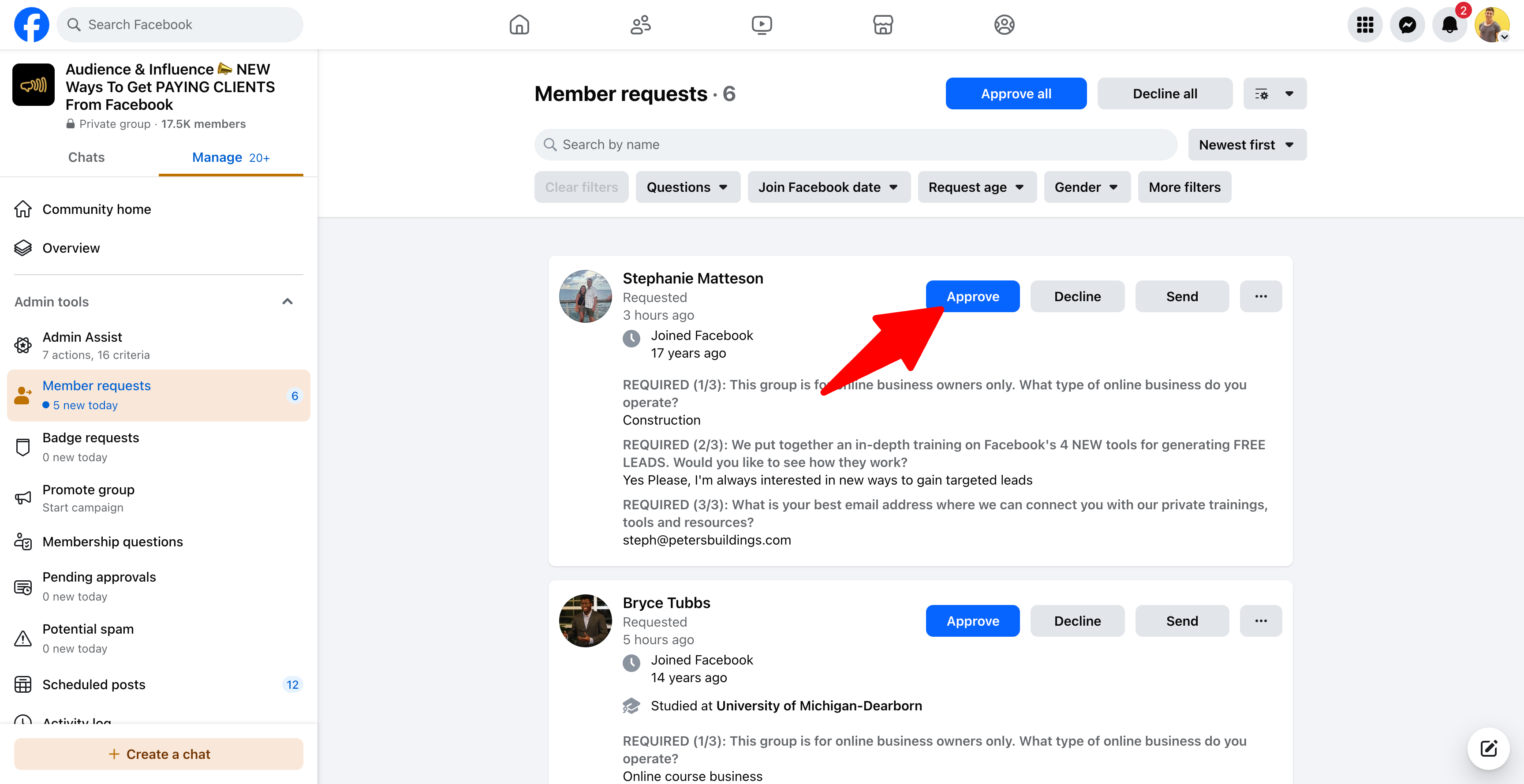
1) Navigate to your postgroup and sortclick on the comments"Member byRequests" "Newest" to find leads who engaged recently. tab.
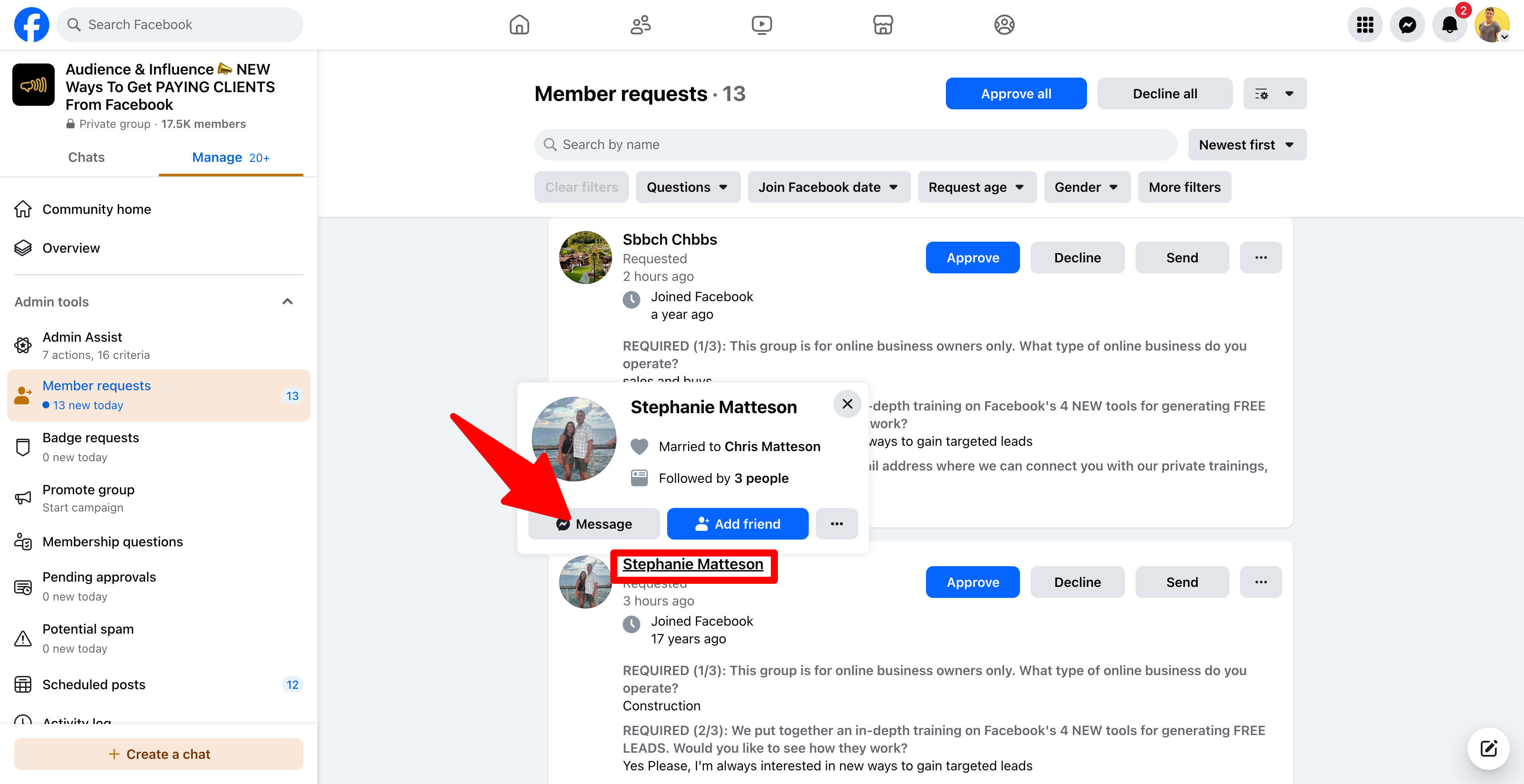
2) HoverBefore approving new members, hover over thetheir name ofand anyclick of anyone who commented to view theirthe "Message" button. Click this button to openstart a new Messenger conversation with thisthat lead.
3) SendManually thissend the lead a DM that includes yourthe outbound trigger text.
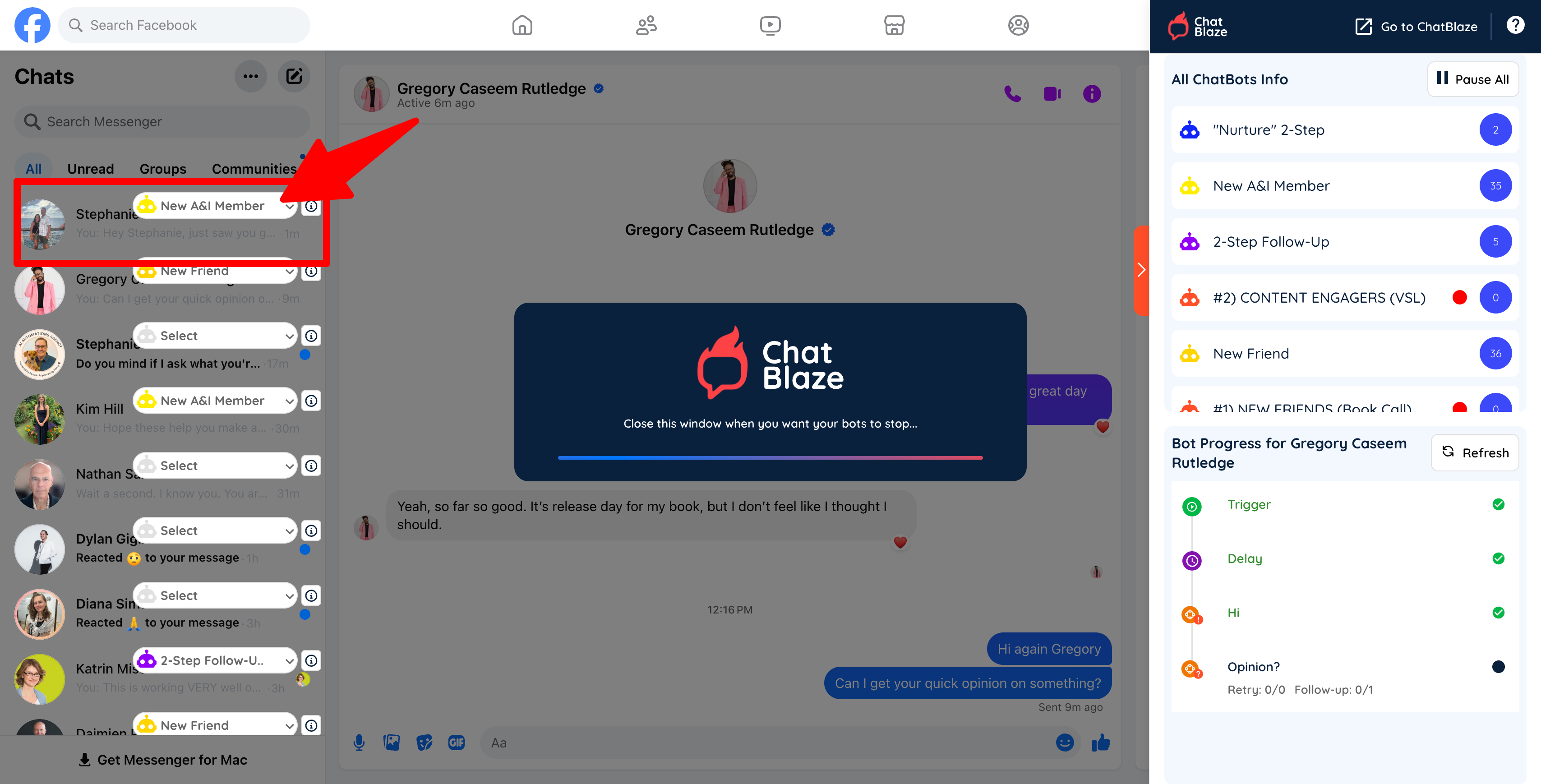
4) ChatBlaze will assign your bot to this lead and then bot will continue the conversation as you've instructed!
5) It'sNow recommendedbe thatsure to click "Approve" for each of the leads you alsosent replya DM to. This will allow them to theirjoin commentyour so that they know you've sent them a DM.group.
Time-Saving Tip:
If you want to bypass these steps, you can automatically approve and DM all of your contentnew engagersgroup using YunaPRO. YunaPRO will send your outbound trigger text for you, so that your bots will automatically be assigned to these engaged leads.
Trigger Your Bot For "Likes":
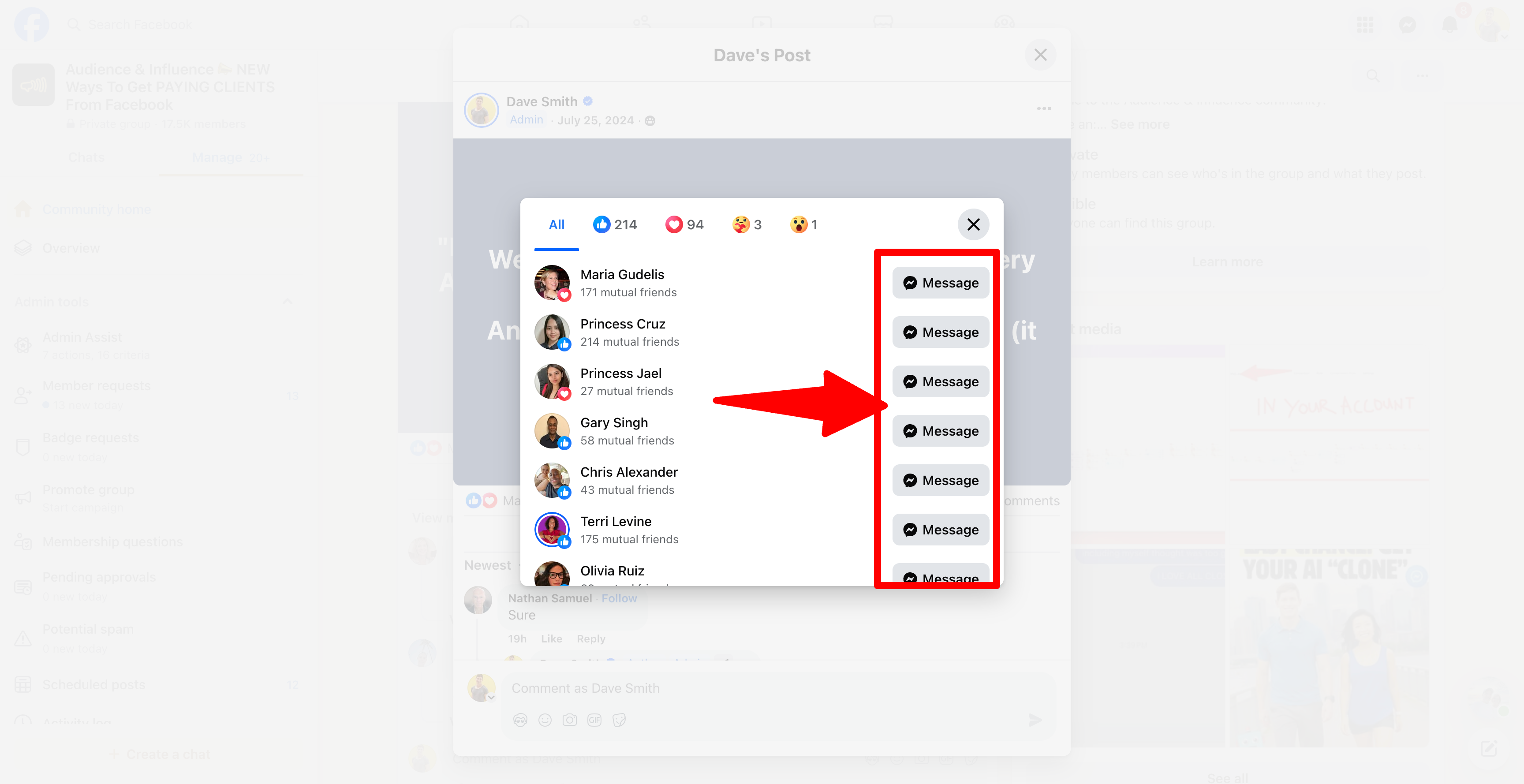
1) You can follow a similar process to assign a bot to every lead who "likes" your posts. Begin by clicking on the list of people who liked your post.
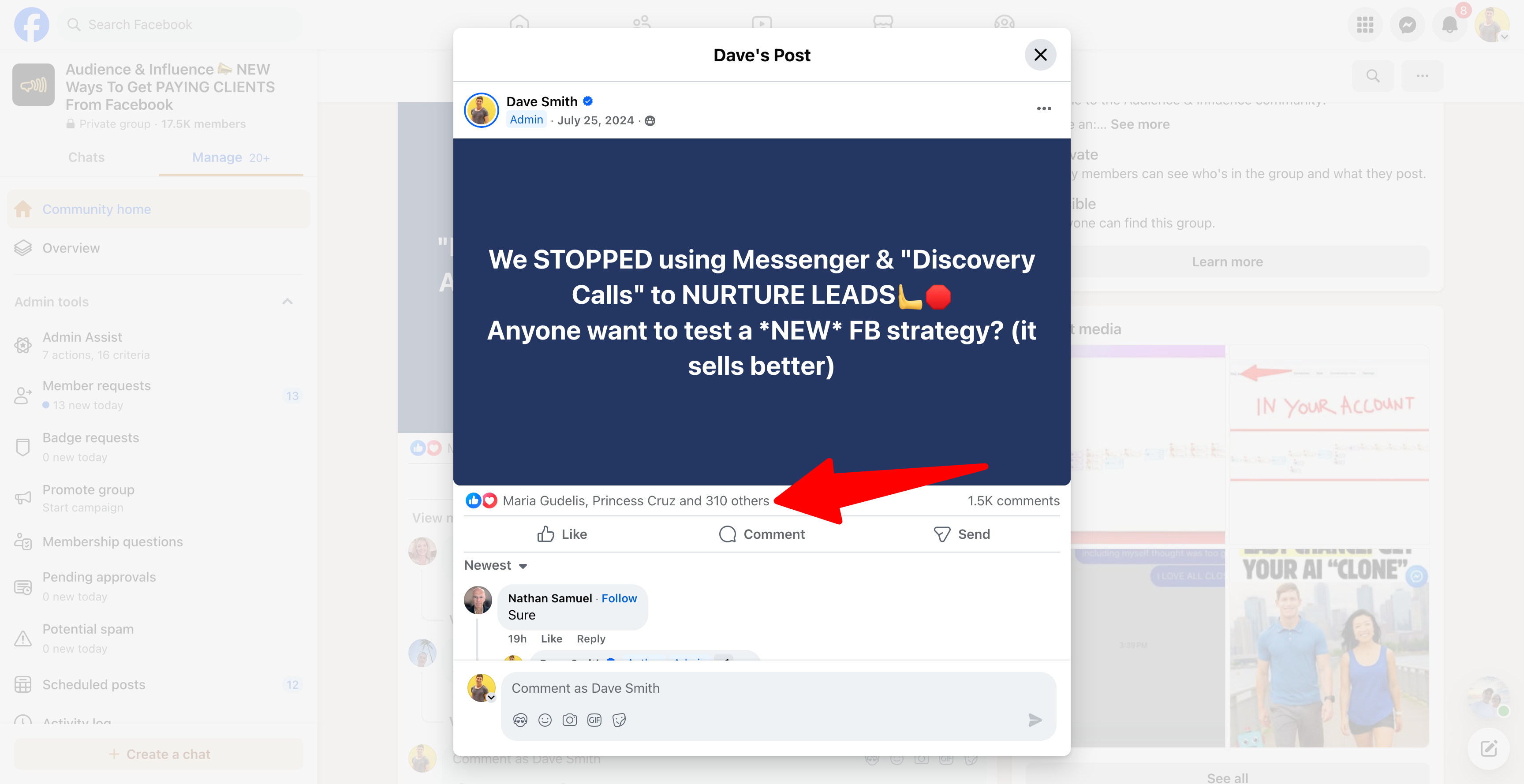
2) Click the "Message" button beside any of these leads to open a Messenger conversation with them.
Then manually send them a DM that contains your outbound trigger text. ChatBlaze will automatically assign your bot to this lead.