
How To Trigger Bots For New Friends & Followers
Every day you should DM each of your new friends and followers using an "outbound trigger" that will assign a bot to those leads.
Bot Setup Steps:
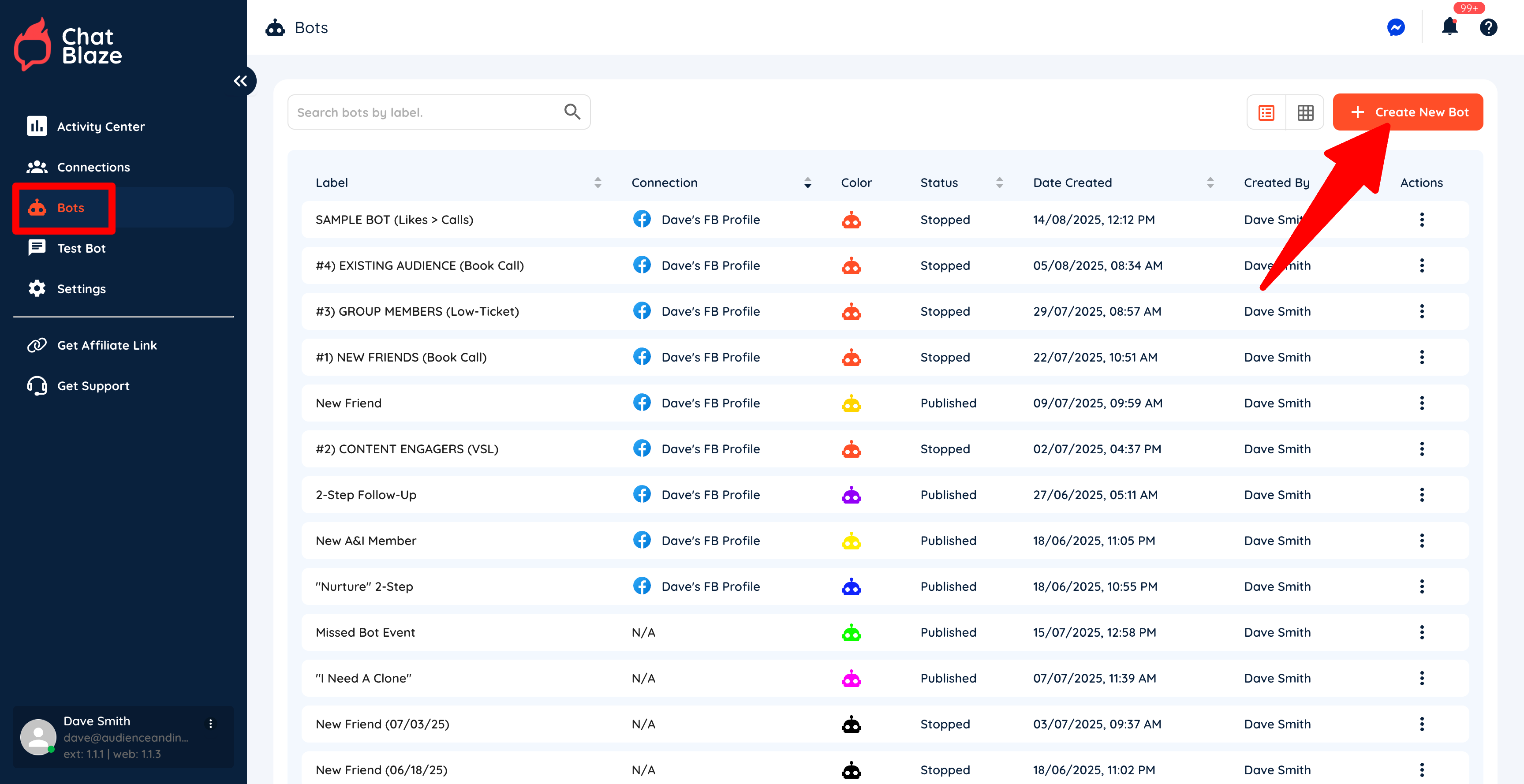
1) Create a new bot by going to "Bots" and then clicking "Create New Bot".
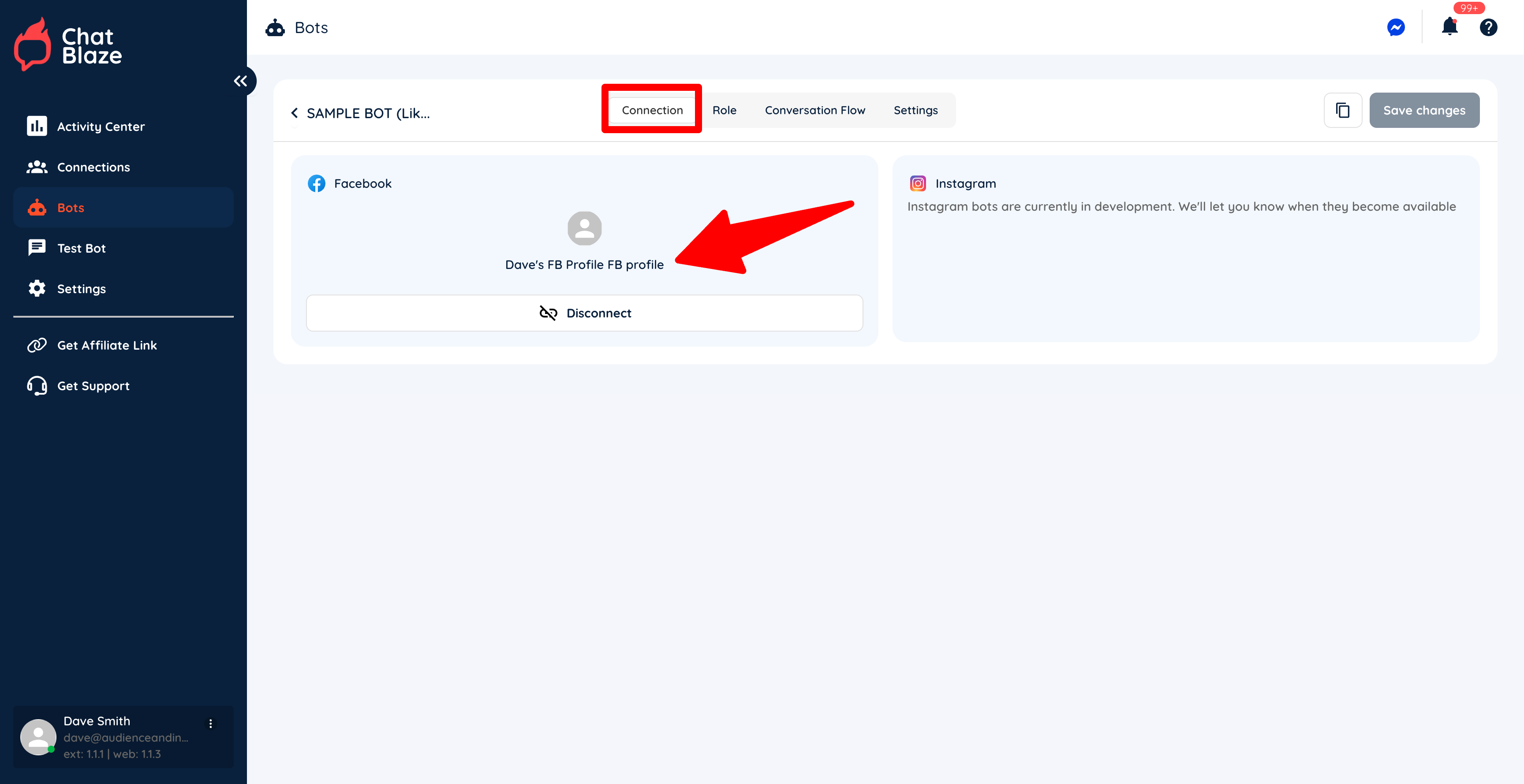
2) Connect your new bot to your social profileprofile.
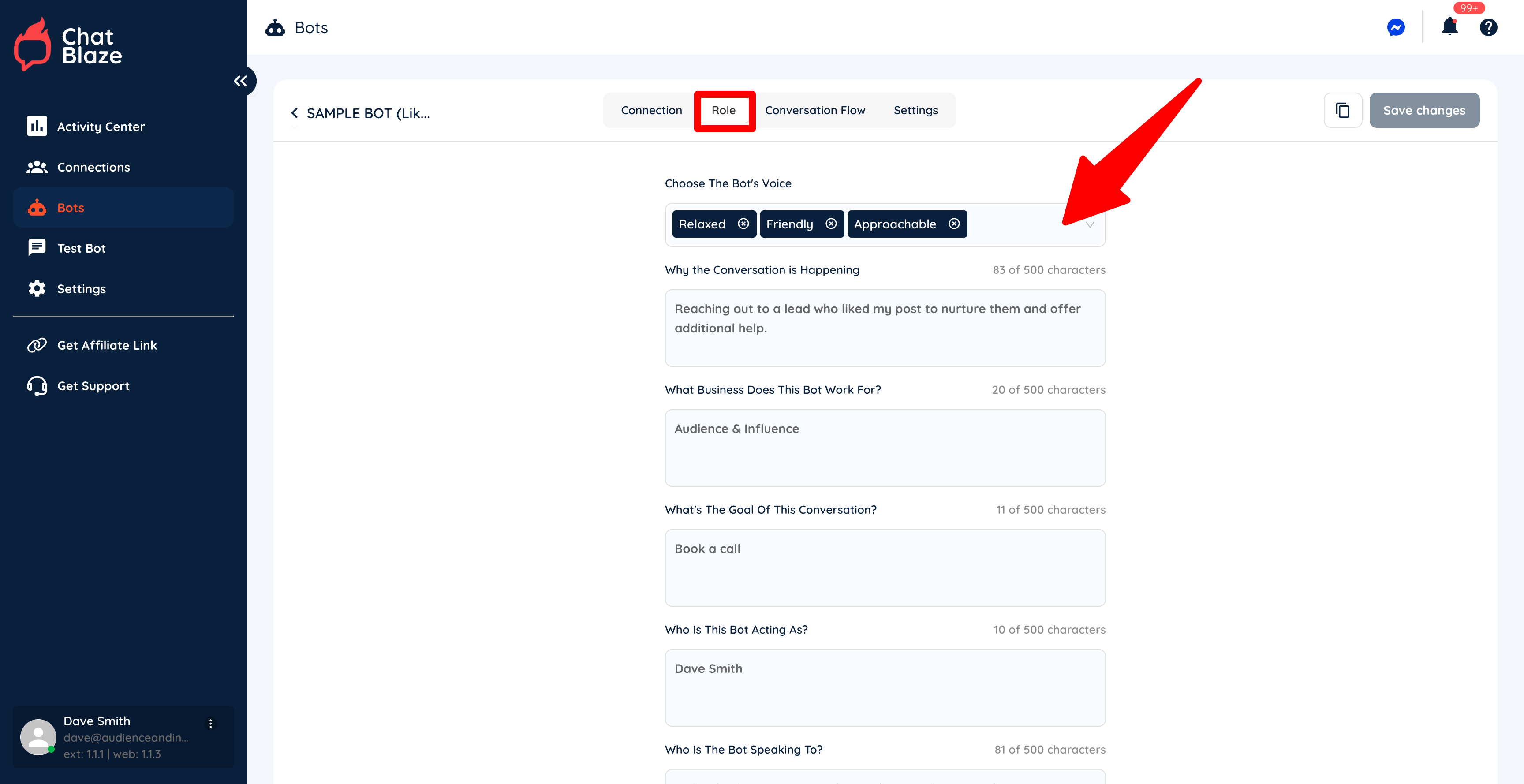
3) Fill in each section on the "Role" tabtab.
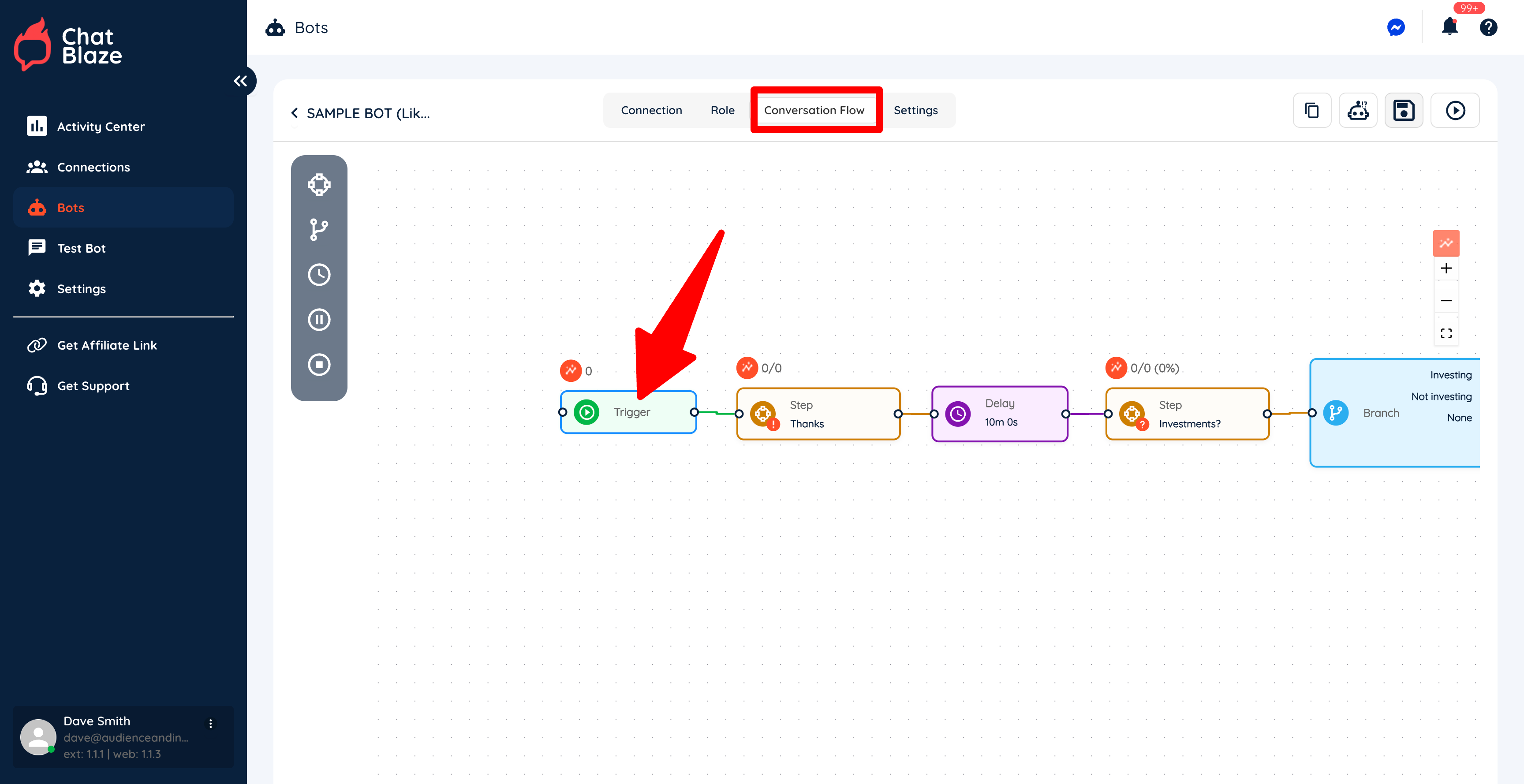
4) Click on the "Trigger" node inside your bot's "Conversation Flow".
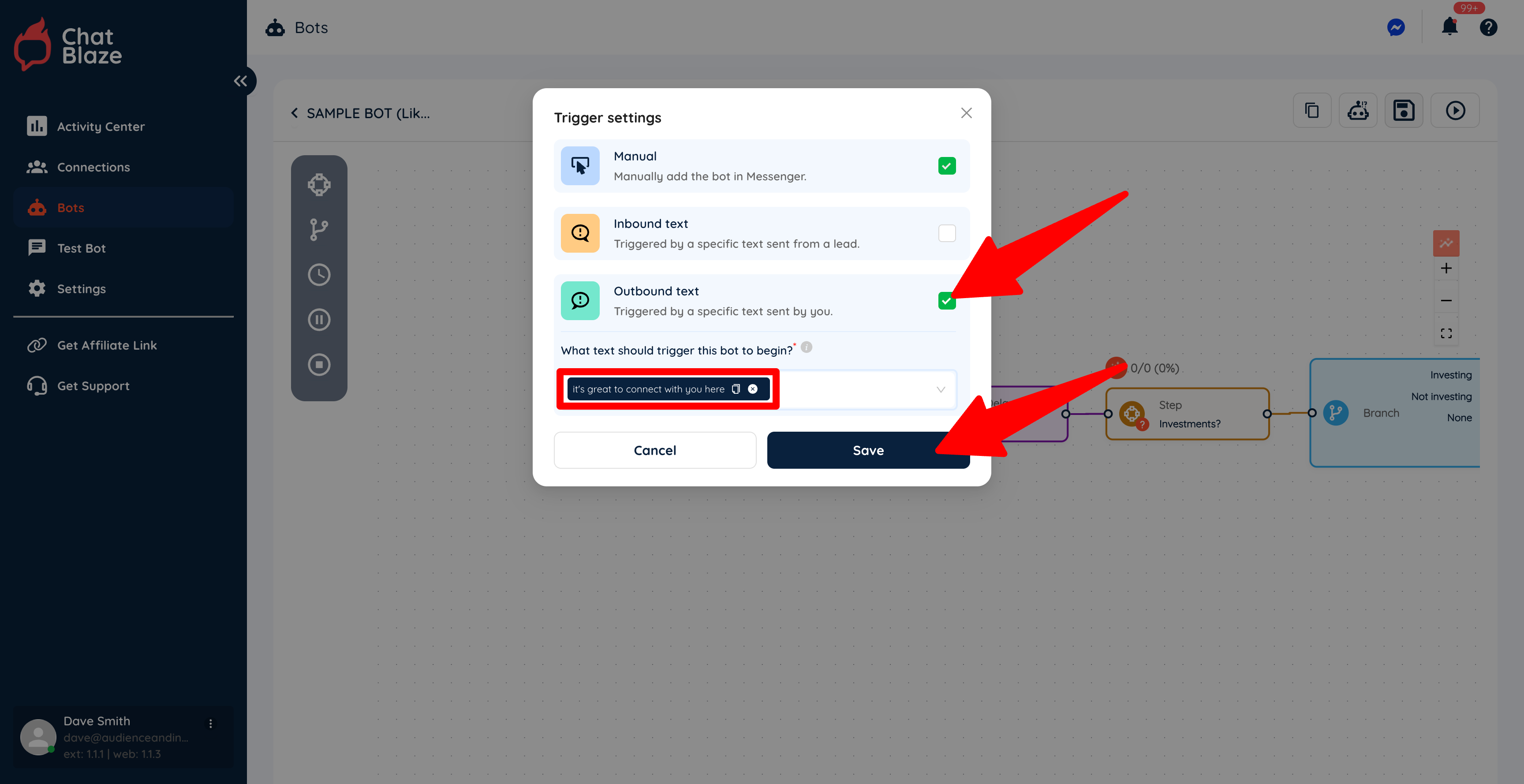
5) Select "Outbound text" and then enter the text that you want to use to trigger your bot. Save this setting.
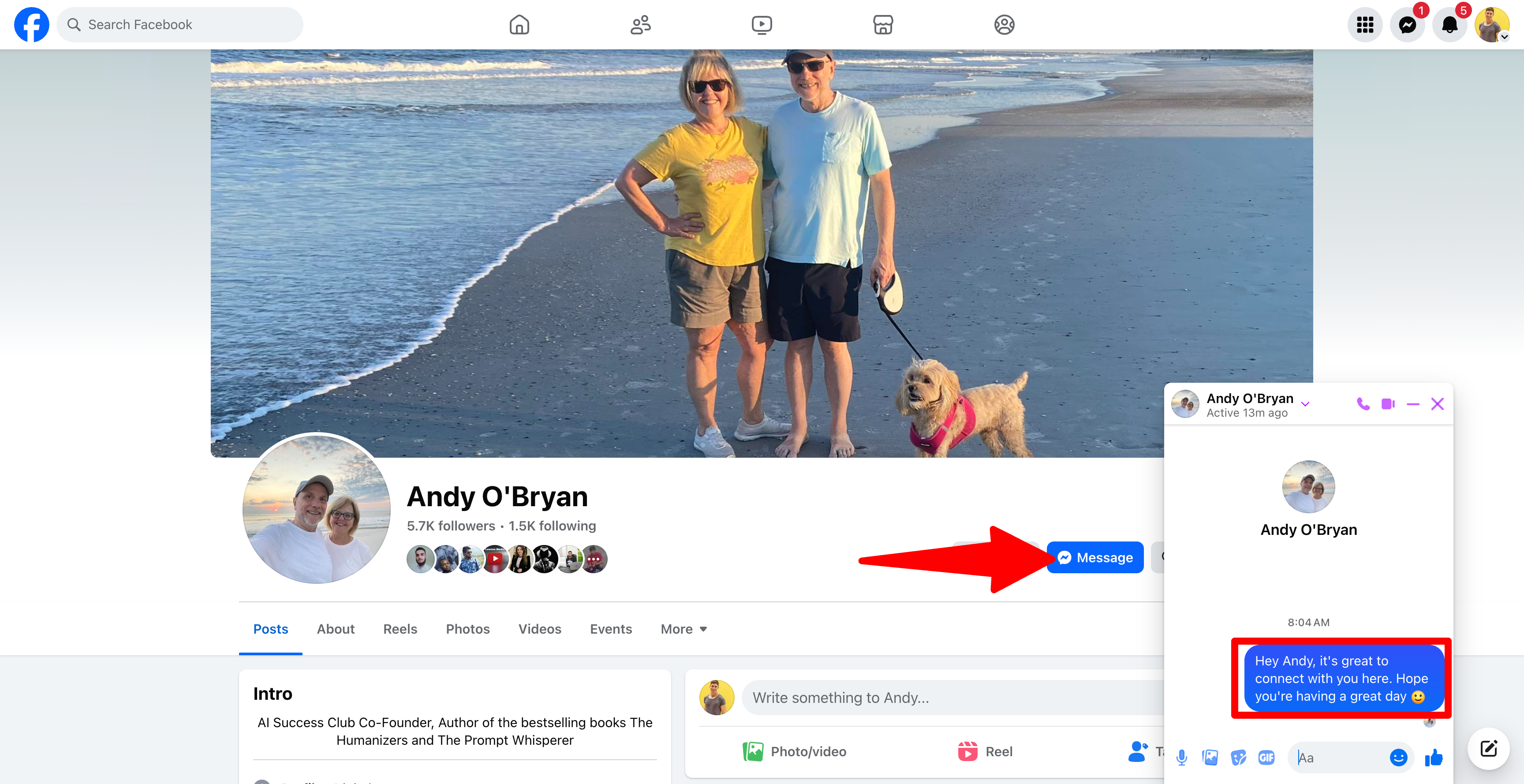
In this example, every time I manually send a DM that includes the text, "it's great to connect with you here", this bot will be assigned to that lead who received my manual DM.
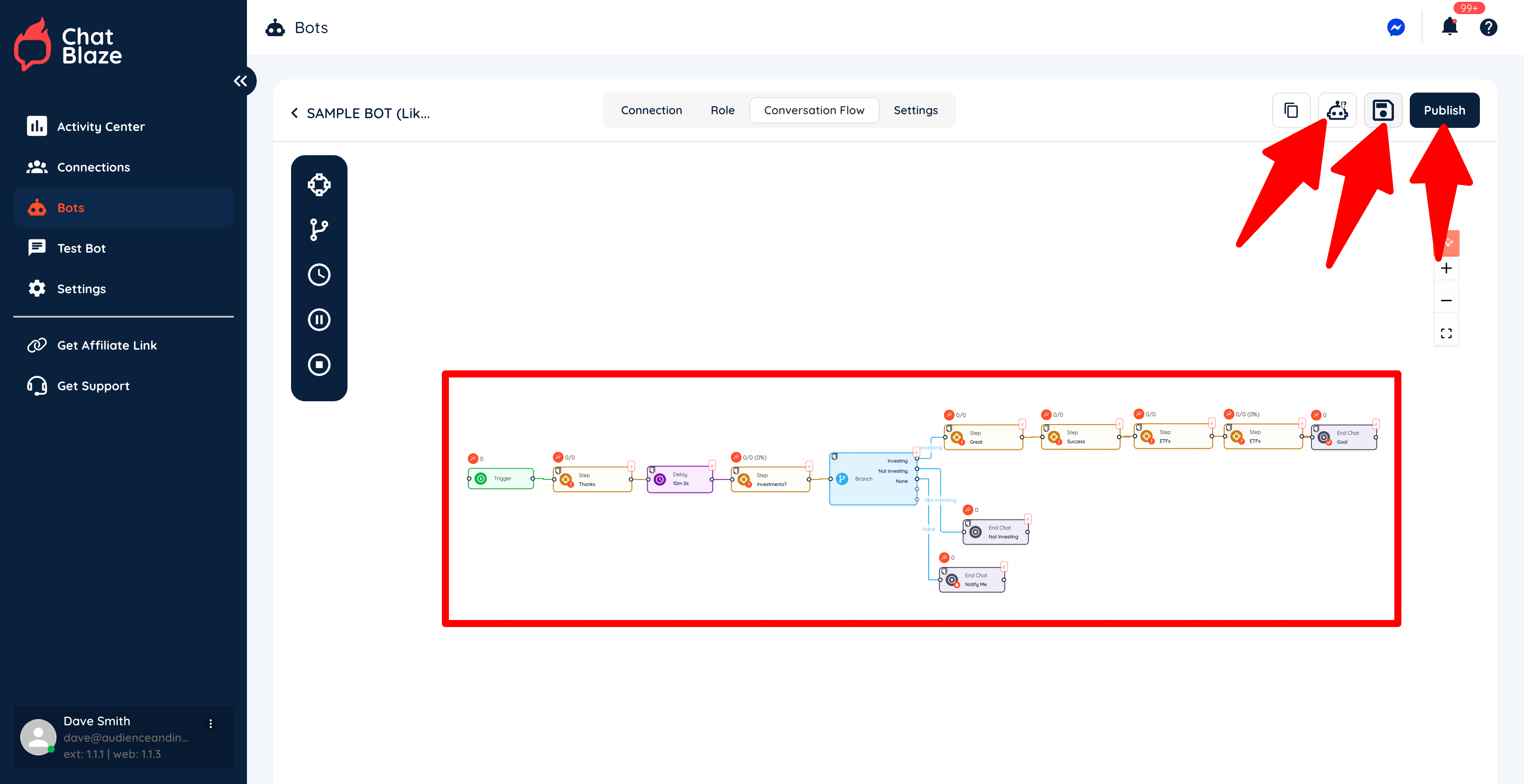
6) Build the rest of your bot as needed. Save your bot, test it, then publish it when it's working exactly as you'd like.
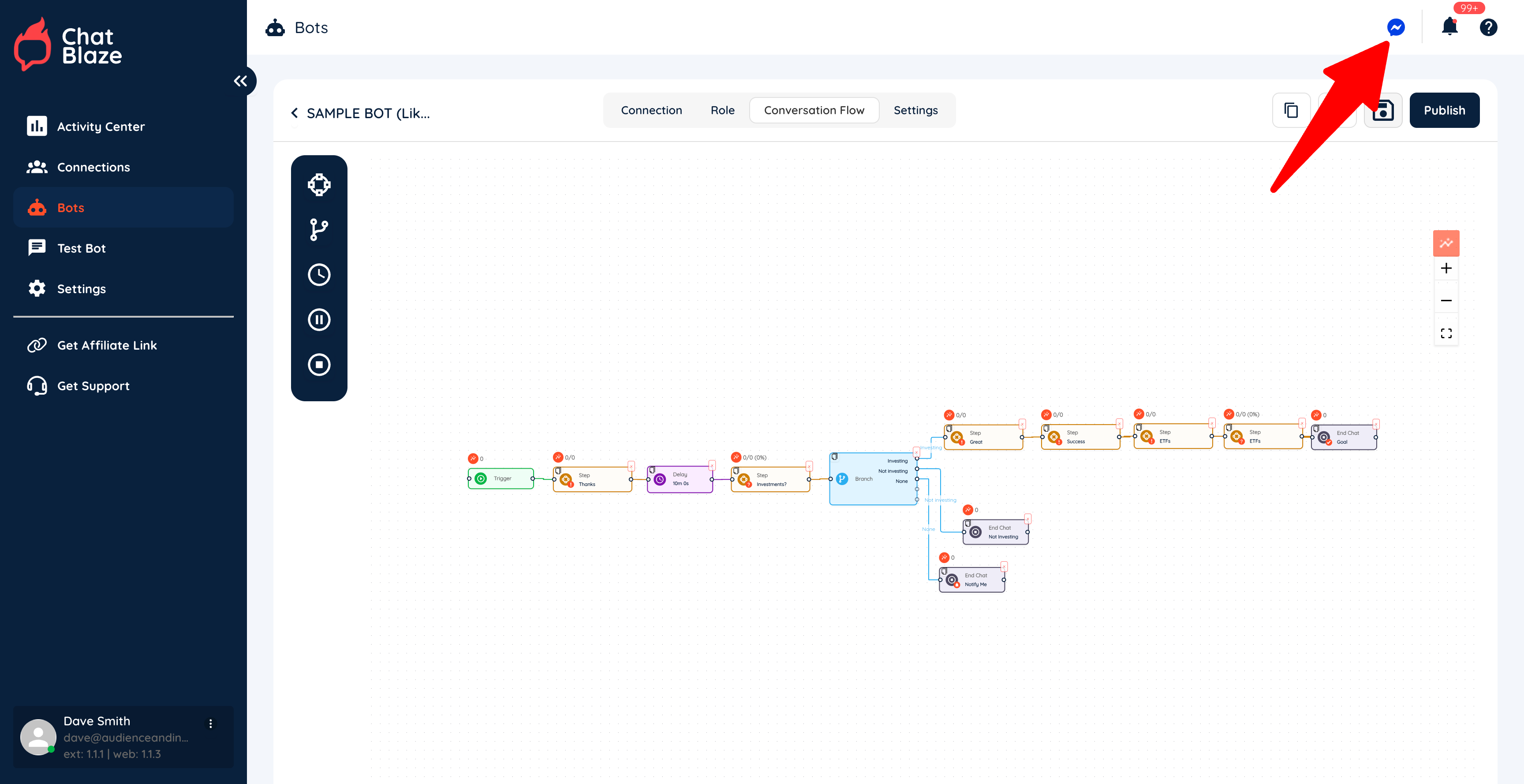
7) Click the "Messenger" icon to launch ChatBlaze in Messenger so that your bots can go to work for you.
Trigger Your Bot For New Friends:
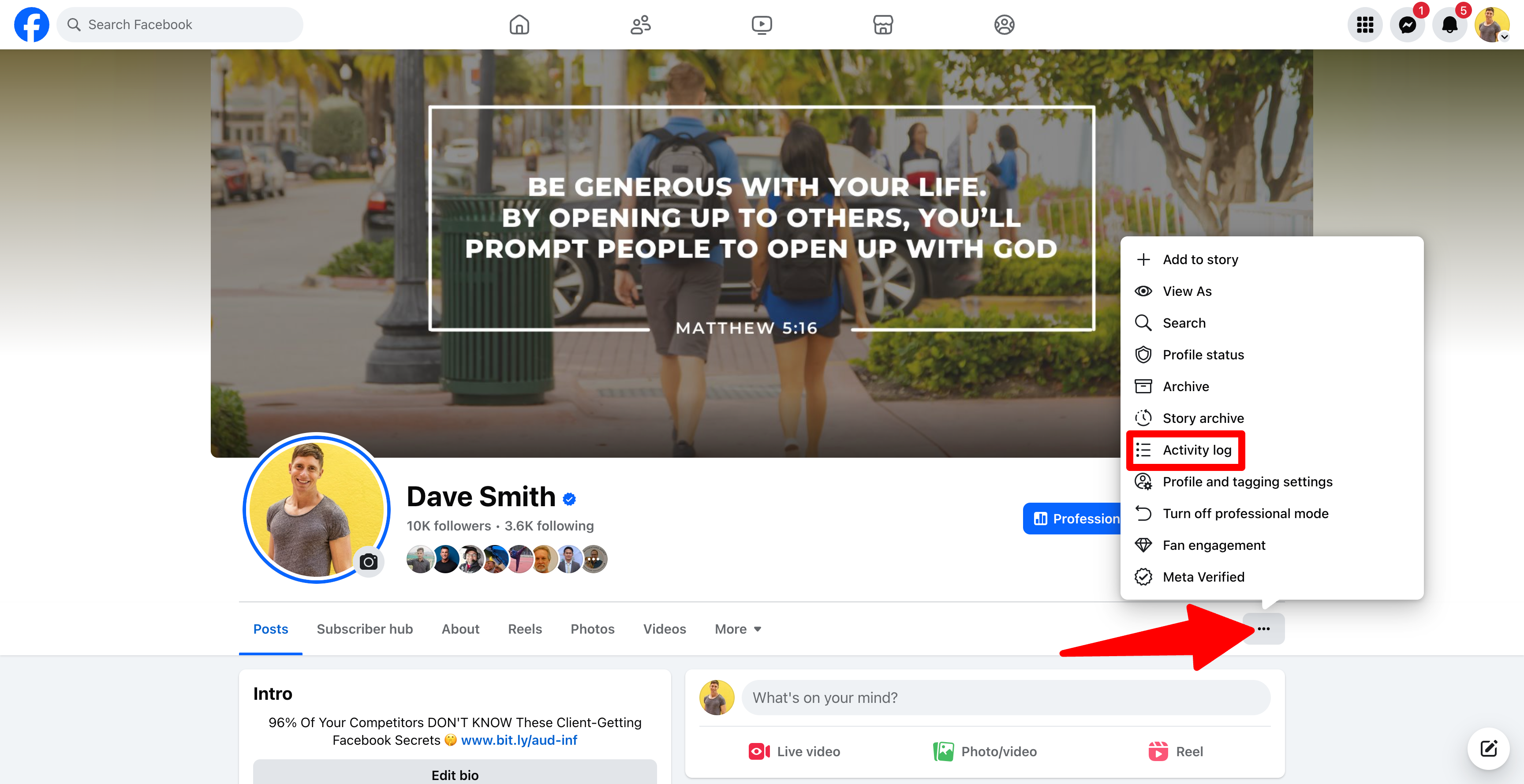
1) To find a list of your new friends, go to your "Activity Log" on your personal Facebook profile.
2) Click "Friends" then "Your Friends" to reveal your most recent friends.
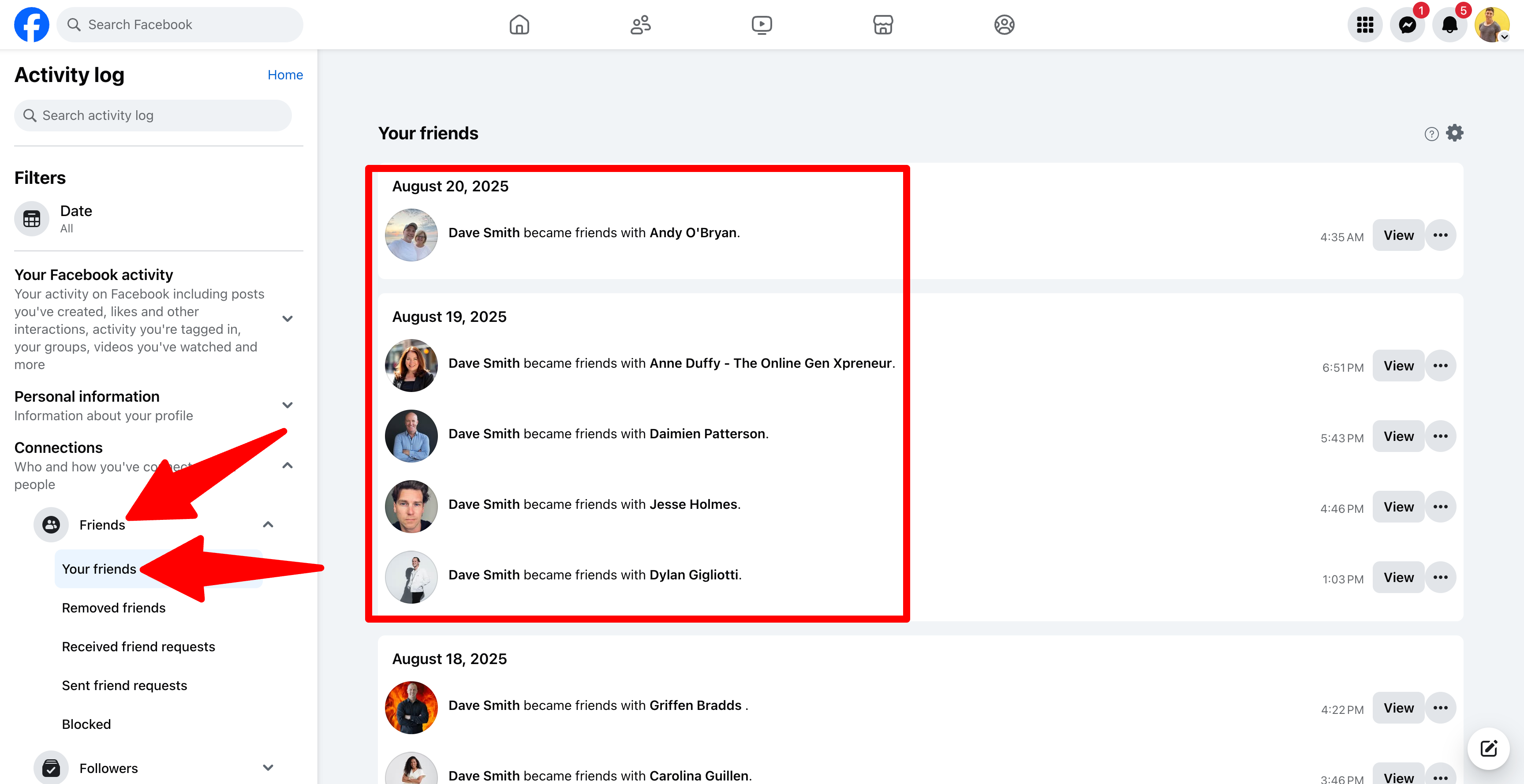
3) Click on the name of any of your new friends to view their profile (or right-click to open their profile in a new tab)

4) Click "Message" to open Messenger, then send this lead a DM that includes your outbound trigger text.
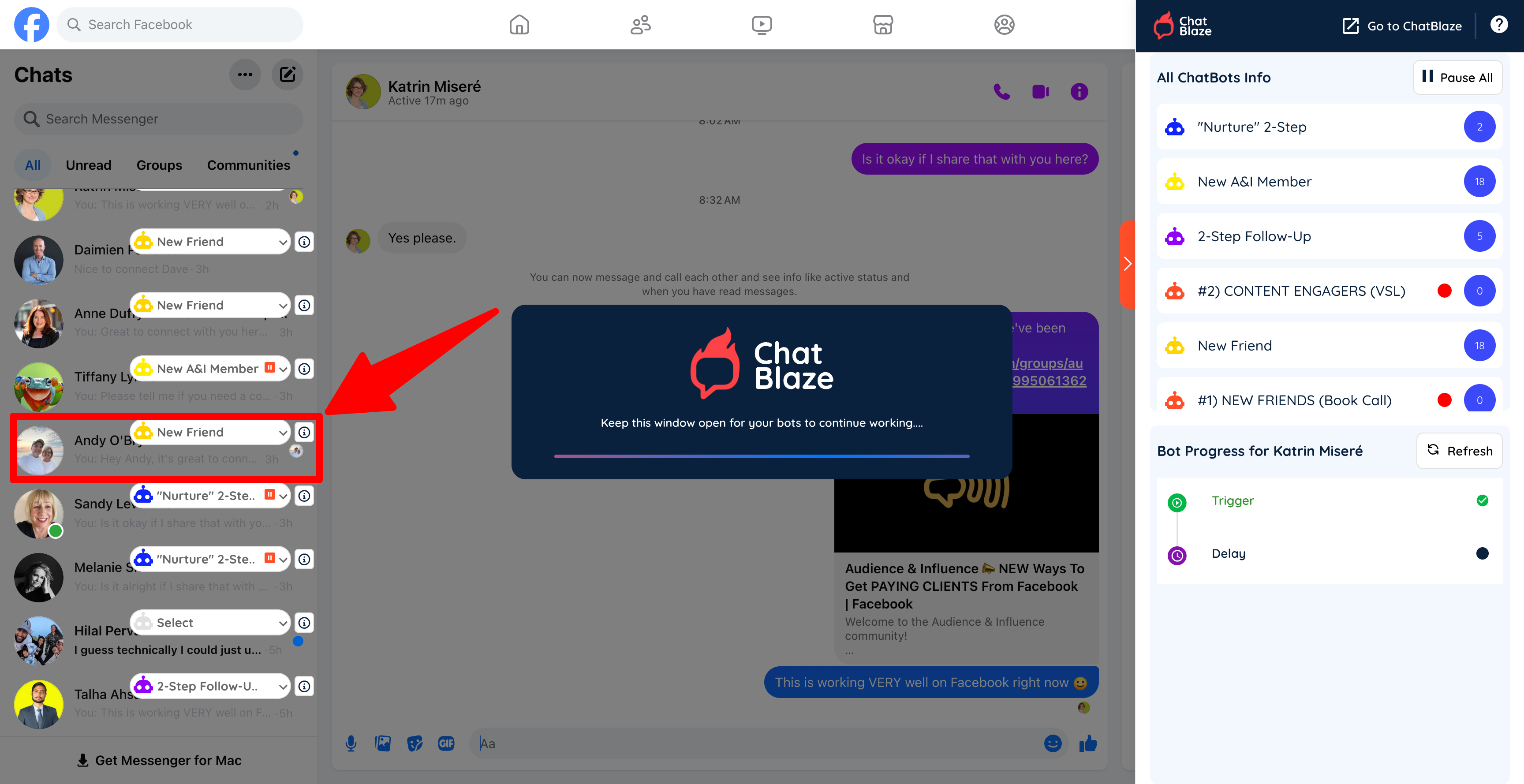
5) ChatBlaze will assign your bot to this lead and then bot will continue the conversation as you've instructed!
Note: If you want to bypass these steps, you can automatically DM all of your new friends using YunaPRO. YunaPRO will send your outbound trigger text for you, so that your bots will automatically be assigned to new friends.